
How to Do Keyword Research by City
How to Do Keyword Research by City: The Complete Local SEO Guide
If you run a local business, ranking for broad keywords is usually a losing game.
A plumber does not need to rank nationally for “plumber.”
A dentist does not need traffic from every person searching “teeth cleaning.”
A roofer in Charlotte does not need visitors from Los Angeles, Chicago, or London.
What local businesses need is much more specific:
They need to show up when someone in their city searches for exactly what they offer.
That is why keyword research by city is so powerful.
Instead of chasing broad, competitive keywords that attract the wrong audience, city-based keyword research helps you find search terms that connect your business to local buyers.
For example:
- “emergency plumber in Austin”
- “family dentist in Tampa”
- “roof repair Charlotte NC”
- “HVAC repair Phoenix”
- “dog groomer downtown Nashville”
- “personal injury lawyer Brooklyn”
These keywords may have lower search volume than broad national terms, but they usually have stronger intent.
Someone searching “roof repair Charlotte NC” is not casually browsing. They probably have a roof problem and need a local contractor.
In this guide, you will learn how to do keyword research by city, how to find city-level keyword opportunities, how to avoid common mistakes, and how to use a local SEO keyword tool like TopKeywordTool.com to find city keywords your competitors are missing.
This article is part of our local SEO keyword research cluster. If you are new to the topic, start with our main guide: A Simple Guide to Local SEO Keyword Research.
How to Do City Keyword Research Step-by-Step with TopKeywordTool.com
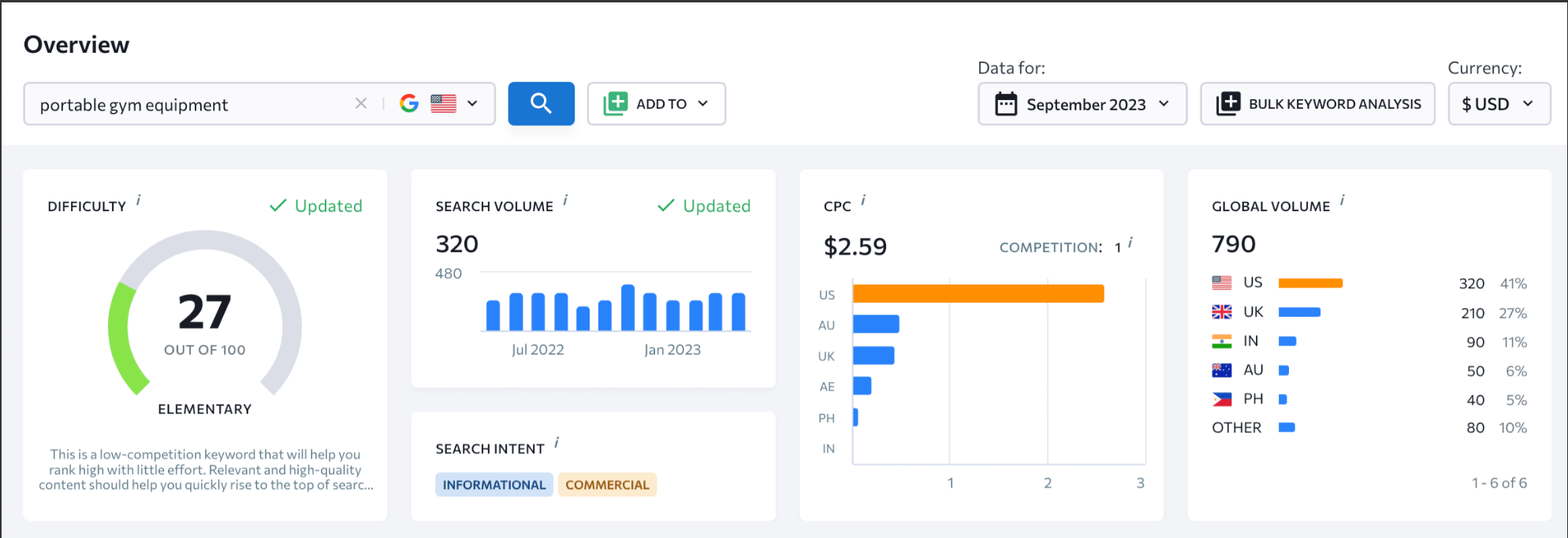
Stop Competing With the Entire Internet
Imagine you own a plumbing company in Austin, Texas.
Would you rather rank for:
Plumber
Or…
Emergency Plumber South Austin
The first keyword is searched by people all over the country.
The second is searched by someone who probably needs a plumber today.
That’s the difference between traditional keyword research and city-based keyword research.
One attracts traffic.
The other attracts customers.
Unfortunately, many local businesses still build their SEO strategy around broad national keywords that are difficult to rank for and rarely generate qualified leads.
The result?
They spend months creating content that attracts visitors from places they don’t serve while missing the customers searching in their own neighborhoods.
City keyword research solves this problem.
Instead of targeting everyone, you focus on the people who can actually become customers.
Whether you’re a local contractor, dentist, attorney, HVAC company, real estate agent, or multi-location business, city-based keyword research helps you discover exactly what nearby customers are searching for.
In this guide, you’ll learn a simple framework for finding profitable local keywords, organizing them into a scalable SEO strategy, and creating location pages that support both Google Search and Google Maps visibility.
You’ll also see how TopKeywordTool can simplify the entire process—from discovering keyword opportunities to organizing them into actionable content plans.
📌 Quick Takeaways
If you’re short on time, here’s what you need to know.
✅ City keywords attract visitors with stronger buying intent.
✅ Local keywords typically face less competition than broad national terms.
✅ Effective local SEO combines service keywords with cities, suburbs, neighborhoods, and ZIP codes.
✅ Every location page should provide unique, valuable content.
✅ TopKeywordTool makes it easy to discover, organize, and prioritize local keyword opportunities.
How City Keyword Research Works
Core Service
      │
      ▼
Choose a City
      │
      ▼
Add Search Intent
      │
      ▼
Find Keyword Opportunities
      │
      ▼
Create Local Landing Pages
      │
      ▼
Generate Local Leads
Simple.
But incredibly effective.
Chapter 1: What Is Keyword Research by City?
City keyword research is the process of finding search terms that combine a service or product with a specific geographic location.
Instead of targeting broad keywords like:
- Dentist
- Roofing Company
- HVAC Repair
- Personal Injury Lawyer
You target searches such as:
- Dentist in Tampa
- Roof Repair Charlotte NC
- Emergency HVAC Repair Dallas
- Personal Injury Attorney Phoenix AZ
These keywords signal one important thing:
Local intent.
The person searching isn’t just looking for information.
They’re looking for a nearby business.
That makes these keywords significantly more valuable for local companies.
The Local Keyword Formula
Almost every successful local keyword follows a simple structure.
Service

+

Location

+

Intent Modifier

=

High-Converting Local Keyword
Examples
| Service | Location | Intent | Keyword |
|---|---|---|---|
| Plumber | Austin | Emergency | Emergency Plumber Austin |
| Dentist | Tampa | Affordable | Affordable Dentist Tampa |
| HVAC Repair | Dallas | Same Day | Same Day HVAC Repair Dallas |
| Roofing | Charlotte | Free Estimate | Roofing Contractor Charlotte Free Estimate |
This simple formula can generate hundreds of keyword ideas.
Explicit vs. Implicit Local Searches
Not every local search includes a city name.
Google understands location remarkably well.
That means there are two types of local intent.
Explicit Local Intent
The search includes the location.
Examples:
- Dentist Tampa
- Plumber Austin TX
- Roofing Company Charlotte NC
Google knows exactly where the searcher wants results.
Implicit Local Intent
The location isn’t included.
Examples:
- Dentist near me
- Emergency plumber
- Oil change open now
Google uses:
- GPS
- Device location
- Search history
- Google Business Profile signals
to determine local results.
This is why optimizing your Google Business Profile is just as important as optimizing your website.
Geographic Targeting Levels
Many businesses stop at the city level.
That’s a mistake.
Your customers often search much more specifically.
Instead of only targeting:
Austin
You might also target:
- South Austin
- North Austin
- East Austin
- West Lake Hills
- Cedar Park
- Round Rock
- Pflugerville
- ZIP codes
The more accurately your keywords match how customers search, the more qualified your traffic becomes.
Geographic Hierarchy
State
   │
   ▼
Metro Area
   │
   ▼
City
   │
   ▼
Suburb
   │
   ▼
Neighborhood
   │
   ▼
ZIP Code
Every level creates additional keyword opportunities.
Why This Matters
Imagine you’re searching for:
Coffee Shop
Google has no idea which city you mean.
Now search:
Coffee Shop Downtown Nashville
The search intent becomes much clearer.
The businesses ranking for that query are far more likely to earn the click because they’re exactly where the customer wants to go.
The same principle applies to nearly every local business.
💡 Pro Tip
Don’t stop at your primary city.
Customers often search by neighborhood, suburb, nearby town, or ZIP code. These hyper-local keywords usually have less competition and stronger purchase intent.
Chapter 2: Why City Keywords Generate Better Leads
Not all website traffic is valuable.
A thousand visitors who live across the country won’t help if your business only serves one city.
Local SEO is different.
The goal isn’t simply to increase traffic.
The goal is to attract qualified local customers.
That’s why city keywords consistently outperform broad industry keywords for local businesses.
Lower Competition
National keywords are extremely competitive.
Think about trying to rank for:
- Roofing
- Dentist
- HVAC
- Electrician
You’re competing against:
- National directories
- Franchise brands
- Industry publications
- Government websites
- Massive corporations
Now compare that to:
- Emergency Roofer Round Rock
- Pediatric Dentist South Tampa
- Water Heater Repair Cedar Park
Competition drops dramatically.
So do the resources required to rank.
Higher Commercial Intent
Local searches usually indicate someone is ready to take action.
Compare these searches.
| Search | Intent |
|---|---|
| Plumbing | Learning |
| How does plumbing work? | Research |
| Emergency Plumber Austin | Hire Someone |
| Same Day Plumber Round Rock | Immediate Purchase |
Notice how adding location and urgency transforms informational searches into commercial ones.
Those are the keywords local businesses should prioritize.
Local SEO Benefits
City keyword research helps improve multiple parts of your marketing strategy at once.
It supports:
- Website SEO
- Google Business Profile optimization
- Google Maps visibility
- Local landing pages
- Google Ads campaigns
- Local blog content
Instead of treating SEO, Maps, and paid advertising separately, city keyword research connects them into one unified strategy.
Coming Up Next
In Part 2, we’ll cover the heart of the guide:
- ✅ The 5-Step City Keyword Research Framework
- ✅ Auditing Your Services
- ✅ Mapping Your Service Area
- ✅ Finding Local Intent Modifiers
- ✅ Using TopKeywordTool to Discover City Keywords
- ✅ Building Your Free Local Keyword Matrix
This is where you’ll move from understanding the concept to building a practical, repeatable workflow you can use for any city, service area, or local business.
Chapter 3: The 5-Step City Keyword Research Framework
Now that you understand why city keyword research matters, it’s time to build a repeatable process.
The good news?
You don’t need to be an SEO expert.
Whether you’re researching one city or one hundred locations, the workflow is almost identical.
We’ll use the same framework professional SEO agencies use when building local SEO campaigns.
The Local Keyword Research Process
Identify Services
        │
        ▼
Map Service Areas
        │
        ▼
Find Local Intent
        │
        ▼
Research Keywords
        │
        ▼
Organize Into Pages
Each step builds on the previous one.
Let’s start at the beginning.
Step 1: Audit Your Core Services
Most businesses begin with keywords that are far too broad.
For example:
- Roofing
- Plumbing
- HVAC
- Landscaping
- Pest Control
These categories are too generic.
Customers rarely search this way.
Instead, break each service into micro-services.
Example: Plumbing Company
Instead of targeting only:
Plumbing
Break it into:
- Emergency Plumbing
- Water Heater Repair
- Tankless Water Heater Installation
- Drain Cleaning
- Sewer Line Repair
- Leak Detection
- Slab Leak Repair
- Pipe Replacement
- Toilet Repair
- Garbage Disposal Repair
Each service becomes an opportunity to rank.
Why Micro-Services Matter
Imagine you’re searching for help with a broken water heater.
Would you search:
Plumbing Company
or
Tankless Water Heater Repair Near Me
Most people choose the second.
Specific services usually indicate stronger buying intent.
Service Brainstorm Worksheet
| Main Service | Micro-Services |
|---|---|
| HVAC | AC Repair, Furnace Repair, Heat Pump Installation, Air Duct Cleaning |
| Roofing | Roof Repair, Roof Replacement, Metal Roofing, Storm Damage Repair |
| Dentistry | Teeth Cleaning, Dental Implants, Invisalign, Emergency Dentist |
| Landscaping | Sod Installation, Irrigation Repair, Tree Trimming, Mulching |
The more specific your keyword list becomes, the more opportunities you’ll uncover.
💡 Pro Tip
Review your invoices or service history from the past year. Your most requested services often become your highest-converting SEO keywords.
Step 2: Map Your Service Area
Now ask yourself:
Where do you actually do business?
Many businesses make the mistake of targeting every nearby city.
Google discourages creating pages for locations you don’t genuinely serve.
Instead, divide your service area into three categories.
Primary Service Area
Your headquarters or main city.
Example:
Austin, Texas
Secondary Service Areas
Nearby cities you regularly serve.
Examples:
- Round Rock
- Cedar Park
- Pflugerville
- Georgetown
- Lakeway
Hyper-Local Areas
Neighborhoods and districts.
Examples:
- South Austin
- Downtown Austin
- Mueller
- East Austin
- Westlake Hills
These smaller geographic areas often have significantly less competition.
Service Area Map
Austin
 │
 ├── Round Rock
 ├── Cedar Park
 ├── Georgetown
 ├── Pflugerville
 ├── Lakeway
 └── South Austin
Each location can generate dozens of keyword opportunities.
⚠️ Stay Within Google’s Guidelines
Only target cities and neighborhoods that you actually serve.
Creating dozens of location pages for places where you don’t operate can create a poor user experience and may conflict with Google’s guidance on low-value or doorway-style pages.
Instead of trying to rank everywhere, focus on building strong pages for the locations where you genuinely provide services.
Step 3: Add Local Intent Modifiers
Now combine your services and locations with words customers naturally use.
These are called intent modifiers.
They tell you what type of customer is searching.
Urgency Keywords
These usually indicate immediate need.
Examples:
- Emergency
- Same Day
- 24 Hour
- Open Now
- Fast
- Near Me
Pricing Keywords
These attract shoppers comparing costs.
Examples:
- Affordable
- Cheap
- Cost
- Estimate
- Free Quote
- Financing
Trust Keywords
Customers want reassurance.
Examples:
- Licensed
- Insured
- Certified
- Family Owned
- Best Rated
- Top Reviewed
Service Modifiers
Examples:
- Residential
- Commercial
- Mobile
- Same-Day
- Eco-Friendly
Example Keyword Formula
Emergency
      +
Water Heater Repair
      +
Round Rock

=

Emergency Water Heater Repair Round Rock
One service can quickly become dozens of keyword combinations.
Step 4: Discover Local Keywords with TopKeywordTool
Now it’s time to validate your ideas with real search data.
Instead of guessing which phrases people use, TopKeywordTool helps you uncover actual keyword opportunities.
Start with a Seed Keyword
Enter a service and your primary city.
Example:
Water Heater Repair Austin
TopKeywordTool automatically generates related searches such as:
- Tankless Water Heater Repair Austin
- Emergency Water Heater Repair Austin
- Water Heater Replacement Austin
- Water Heater Repair South Austin
- Affordable Water Heater Repair Austin
Instead of brainstorming manually, you instantly receive hundreds of relevant ideas.
📷 Screenshot Placeholder
TopKeywordTool – Local Keyword Explorer
Filter the Results
Not every keyword deserves a page.
Use filters to prioritize opportunities.
Recommended filters include:
- Search Volume
- Keyword Difficulty
- Cost Per Click (CPC)
- Search Intent
This helps you focus on keywords that are both realistic and valuable.
Expand Into Nearby Cities
Once you’ve finished your primary city, repeat the process for nearby locations.
Example:
Austin
   │
   ▼
Round Rock
   │
   ▼
Cedar Park
   │
   ▼
Pflugerville
   │
   ▼
Georgetown
You’ll often discover entirely new keyword opportunities for each city.
Chapter 4: Build Your Local Keyword Matrix
Once you’ve collected your keyword ideas, organize them into a simple planning document.
Think of this as the blueprint for your website.
Why Use a Keyword Matrix?
Without organization, keyword research quickly becomes overwhelming.
A keyword matrix helps you:
- Eliminate duplicate keywords
- Identify content gaps
- Plan new pages
- Prevent keyword cannibalization
- Build a scalable SEO strategy
Instead of wondering what to write next, you’ll have a clear roadmap.
Free Local Keyword Matrix
| Core Service | City | Intent Modifier | Target Keyword | Page URL |
|---|---|---|---|---|
| Water Heater Repair | Round Rock | Affordable | Affordable Water Heater Repair Round Rock | /locations/round-rock/ |
| Emergency Plumbing | South Austin | 24 Hour | 24 Hour Emergency Plumbing South Austin | /services/emergency-plumbing/ |
| Roof Repair | Cedar Park | Free Estimate | Roof Repair Cedar Park Free Estimate | /locations/cedar-park/ |
| AC Repair | Georgetown | Same Day | Same Day AC Repair Georgetown | /services/ac-repair/ |
Organize Keywords by Topic
Rather than creating one page for every tiny keyword variation, group closely related searches together.
Example
One page can target:
- Emergency Plumber Austin
- 24 Hour Plumber Austin
- Same Day Plumbing Austin
- Emergency Plumbing Services Austin
Google understands these phrases are closely related.
This reduces duplicate content while building stronger, more comprehensive pages.
💡 Pro Tip
Use your keyword matrix as a living document.
Review it every few months, add new services, update locations, and remove keywords that no longer fit your business. A well-maintained keyword matrix becomes one of the most valuable assets in your local SEO strategy.
Coming Up Next
In Part 3, we’ll cover:
- ✅ How to map city keywords to your website architecture
- ✅ Building location pages that rank
- ✅ On-page SEO for local landing pages
- ✅ LocalBusiness schema and
areaServed - ✅ Common city keyword mistakes to avoid
- ✅ FAQ
- ✅ Final action plan and conclusion
This final section brings everything together so you can turn your keyword research into a scalable local SEO strategy that supports long-term organic growth.
Chapter 5: Map City Keywords to Your Website
Finding great local keywords is only half the battle.
The next step is organizing those keywords into a website structure that makes sense for both Google and your visitors.
One of the biggest mistakes businesses make is trying to target every keyword on a single page.
For example, imagine a plumbing company trying to rank one page for:
- Plumber Austin
- Emergency Plumber Round Rock
- Water Heater Repair Cedar Park
- Drain Cleaning Georgetown
- Slab Leak Repair Pflugerville
Google has no clear idea which search the page is intended to satisfy.
Instead, each important topic should have a clear home.
Think of your website like a filing cabinet.
Every keyword belongs in the correct folder.
Build a Logical Site Structure
A well-organized website helps:
- Google understand your services
- Visitors find information quickly
- Prevent keyword cannibalization
- Build topical authority
Here’s a simple structure that works for most local businesses.
Homepage
    │
    ├───────────── Services
    │                  │
    │                  ├── Water Heater Repair
    │                  ├── Drain Cleaning
    │                  ├── Emergency Plumbing
    │                  └── Sewer Repair
    │
    ├───────────── Locations
    │                  │
    │                  ├── Austin
    │                  ├── Round Rock
    │                  ├── Cedar Park
    │                  ├── Georgetown
    │                  └── Pflugerville
    │
    └───────────── Blog
                       │
                       ├── Plumbing Tips
                       ├── Cost Guides
                       ├── Local Maintenance Tips
                       └── FAQs
This structure is easy for both users and search engines to navigate.
Which Keywords Belong on Which Pages?
Every keyword should have one primary destination.
| Page Type | Primary Keyword Example |
|---|---|
| Homepage | Plumber Austin TX |
| Service Page | Water Heater Repair Austin |
| Location Page | Plumber Round Rock |
| Service + Location | Emergency Plumbing Cedar Park |
| Blog Article | How Much Does Water Heater Repair Cost in Austin? |
This prevents multiple pages from competing against one another.
Avoid Keyword Cannibalization
Keyword cannibalization happens when two or more pages target the same keyword.
For example:
❌ Page 1
Plumber Austin
❌ Page 2
Best Plumber Austin
❌ Page 3
Affordable Plumber Austin
Instead, create one strong page about plumbing services in Austin.
Google prefers one comprehensive resource over several nearly identical pages.
Build Internal Links
Internal links help connect related content across your website.
Example:
Homepage
      │
      ▼
Austin Plumbing
      │
      ├────────► Emergency Plumbing
      │
      ├────────► Water Heater Repair
      │
      ├────────► Drain Cleaning
      │
      └────────► Plumbing Cost Guide
This improves navigation while helping search engines understand how your pages relate to one another.
💡 Pro Tip
Every new page should include links to at least 3–5 related pages on your website. This strengthens topical authority and helps search engines discover your content more efficiently.
Chapter 6: Optimize Your Local Pages
Finding the right keywords isn’t enough.
Your pages also need to communicate those keywords naturally.
Google rewards pages that provide helpful, localized information—not pages stuffed with city names.
Title Tags
Use a simple format.
[Primary Service] in [City, State] | Brand Name
Example
Water Heater Repair in Austin, TX | ABC Plumbing
H1 Heading
Your H1 should reinforce the page topic.
Example
Professional Water Heater Repair in Austin, Texas
Write Unique Content
One of the biggest mistakes in local SEO is copying the same content onto dozens of city pages.
Avoid creating pages that simply replace the city name.
Instead, include information specific to each location.
Examples include:
- Areas you serve
- Local landmarks
- Neighborhoods
- Customer testimonials
- Driving directions
- Frequently asked questions
- Photos from local jobs
- Local regulations or building codes (where relevant)
Unique content provides value to users and helps distinguish your location pages.
Add a Google Map
Embedding a Google Map can help visitors understand where you’re located or the area you serve.
Maps also improve the user experience by making it easier for customers to find your business or understand your service area.
Add Local Business Schema
Schema markup provides structured information about your business to search engines.
For local businesses, consider implementing:
- LocalBusiness
- Organization
- PostalAddress
- areaServed
- OpeningHours
- GeoCoordinates
Schema won’t guarantee higher rankings, but it helps search engines better understand your business information.
Common City Keyword Research Mistakes
Even experienced marketers make mistakes.
Here are the biggest ones to avoid.
❌ Creating Doorway Pages
Don’t publish 50 nearly identical city pages with only the location name changed.
Instead, create fewer, higher-quality pages that genuinely help users in each location.
❌ Keyword Stuffing
Avoid titles like:
Plumber Austin | Austin Plumbing | Best Plumber Austin TX | Plumbing Austin
Instead, write naturally.
Google understands context.
Your visitors will appreciate clear, readable titles.
❌ Targeting Cities You Don’t Serve
Ranking in a city 100 miles away won’t help if you can’t realistically serve customers there.
Focus your SEO efforts on locations where you can provide an excellent customer experience.
❌ Ignoring Search Intent
Remember:
Someone searching:
Roof Repair Charlotte
expects a service page.
Someone searching:
Roof Repair Cost Charlotte
expects an informational guide.
Match your content to the user’s intent.
Frequently Asked Questions
What is keyword research by city?
Keyword research by city is the process of identifying search terms that combine a product or service with a specific geographic location. These keywords help local businesses attract nearby customers who are actively searching for their services.
Why are city keywords important?
City keywords usually have stronger commercial intent and lower competition than broad national keywords. They also support visibility in both traditional organic search results and local map listings.
Should every city have its own landing page?
Not necessarily.
Create dedicated location pages for cities where you actively serve customers and can provide unique, valuable content. Avoid publishing large numbers of nearly identical pages for locations where you have little or no presence.
Can I target neighborhoods instead of cities?
Yes.
Neighborhoods, suburbs, districts, and ZIP codes often present excellent opportunities because they tend to have lower competition while still attracting highly qualified local traffic.
Which tool is best for city keyword research?
Look for a tool that combines:
- Competitor analysis
- Keyword difficulty
- Search volume
- Search intent
- Local keyword discovery
TopKeywordTool was designed to bring these features together, making it easier to discover and organize location-based keyword opportunities.
Your 30-Day Local SEO Action Plan
Getting started doesn’t have to be overwhelming.
Here’s a simple roadmap.
Week 1
✅ List every service your business offers.
✅ Break them into micro-services.
Week 2
✅ Map every city, suburb, neighborhood, and ZIP code you serve.
Week 3
✅ Use TopKeywordTool to discover local keyword opportunities.
✅ Build your Local Keyword Matrix.
Week 4
✅ Create or optimize your first five location pages.
✅ Add internal links and begin tracking rankings.
By following this plan, you’ll build a strong foundation for long-term local SEO success.
Final Thoughts
City keyword research is one of the most effective ways for local businesses to improve their visibility, attract qualified leads, and compete in search results without chasing highly competitive national keywords.
Rather than targeting broad phrases that attract visitors from everywhere, city-based keyword research helps you focus on the people who are most likely to become customers.
Remember this simple framework:
Identify Services
        │
        ▼
Map Service Areas
        │
        ▼
Research City Keywords
        │
        ▼
Organize Into Pages
        │
        ▼
Optimize & Publish
        │
        ▼
Track & Improve
SEO isn’t about ranking for every keyword.
It’s about ranking for the right keywords—the ones that connect your business with nearby customers at the moment they’re ready to take action.
Ready to Find Local Keyword Opportunities?
Instead of spending hours researching cities, suburbs, and neighborhoods manually, let TopKeywordTool streamline the process.
With TopKeywordTool, you can:
- ✅ Discover city-specific keyword opportunities
- ✅ Analyze local competitors
- ✅ Measure keyword difficulty
- ✅ Build organized keyword clusters
- ✅ Generate location-based content ideas
- ✅ Create scalable Local SEO campaigns
Whether you serve one city or fifty, TopKeywordTool helps you turn local search demand into a structured SEO strategy that drives more qualified traffic—and more customers.
A Simple Guide to Local SEO Keyword Research
A Simple Guide to Local SEO Keyword Research: The 2026 Pro Playbook
If you run a neighborhood bakery, a dental practice, a roofing company, a plumbing business, or a local service brand, most keyword research advice probably feels useless.
You have heard the standard SEO advice:
“Target keywords with big search volume.”
“Go after national terms.”
“Write blog posts around broad topics.”
But let’s be honest.
If you are an electrician in Austin, a dentist in Tampa, or a landscaper in Charlotte, traffic from people across the country does not help you much.
You do not need random visitors.
You need local customers.
You need people in your city, neighborhood, or service area who are actively searching for what you sell and are ready to call, book, visit, or request a quote.
That is where local SEO keyword research comes in.
Local SEO keyword research is the process of finding the exact search terms people use when they are looking for a nearby product, service, or business.
It is different from traditional keyword research because the goal is not just traffic. The goal is local intent.
A keyword like “emergency plumber” may be useful. But a keyword like “emergency plumber in North Austin” is much more valuable if you actually serve North Austin.
A keyword like “best dentist” is broad. But “best family dentist near me open Saturday” tells you the searcher has a very specific need.
This guide will show you how to find those high-intent local keywords, how to use keyword research by city, how to build local landing pages, and how to use a local SEO keyword tool like TopKeywordTool.com to uncover opportunities your competitors are missing.
What Is Local SEO Keyword Research?
Local SEO keyword research is the process of finding search terms that combine what your business does with where your customers are searching.
For example:
- plumber in Dallas
- emergency plumber near me
- family dentist in Tampa
- roof repair Charlotte NC
- personal injury lawyer Brooklyn
- best coffee shop downtown Nashville
- pediatric dentist near Hyde Park
- AC repair open now Phoenix
These keywords are powerful because they usually come from people who are close to taking action.
Someone searching “how does plumbing work” may just want information.
Someone searching “emergency plumber near me open now” likely needs help immediately.
That is the difference between general SEO and local SEO.
General SEO often chases attention.
Local SEO chases action.
The Core Formula of Localised Keyword Research
Every strong local keyword usually follows a simple formula:
Service or Product + Location Modifier = High-Intent Local Keyword
Let’s break that down.
1. The Service Or Product
This is what you sell, offer, repair, install, provide, or help with.
Examples include:
- roof repair
- emergency plumber
- family dentist
- personal injury lawyer
- HVAC repair
- dog grooming
- wedding photographer
- tax preparation
- Italian restaurant
- home remodeling
- physical therapy
- luxury watch repair
Your service keywords should match the way real customers search.
Do not use internal jargon if your customers do not use it.
For example, a chiropractor might describe a service as “spinal decompression therapy,” but a customer may search:
- chiropractor for lower back pain
- back pain doctor near me
- chiropractor near me for sciatica
A local SEO keyword tool can help you discover the language your customers actually use.
2. The Location Modifier
The location modifier tells search engines and customers where the service is relevant.
Location modifiers can include:
- City names
- Neighborhoods
- Counties
- Zip codes
- Nearby suburbs
- Districts
- Landmarks
- “Near me”
- “Open now”
- “Nearby”
- “Close to me”
For example:
- plumber in Austin
- plumber in South Austin
- plumber near Zilker Park
- emergency plumber 78704
- plumber near me open now
The more specific the location modifier, the more targeted the keyword becomes.
Broad city keywords can be useful, but neighborhood keywords are often easier to rank for and more likely to convert.
Why Local Keywords Often Beat High-Volume Keywords
Many business owners make the mistake of chasing search volume.
They see a keyword with 20,000 searches per month and assume it must be valuable.
But in local SEO, volume can be misleading.
A keyword with 50 searches per month can be more profitable than a keyword with 5,000 searches if those 50 people are local buyers.
For example:
- “roofing tips” may attract general readers.
- “roof leak repair in Orlando” attracts potential customers.
- “emergency roof repair Orlando open now” attracts urgent buyers.
Local SEO is not about getting the biggest audience.
It is about getting the right audience.
A local keyword with low volume but strong intent can bring in real calls, bookings, visits, and revenue.
Step 1: List Every Service You Offer
Before using any tool, start with a basic service list.
Write down every service, product, category, or problem your business handles.
For a plumbing company, that might include:
- emergency plumbing
- drain cleaning
- water heater repair
- water heater installation
- sewer line repair
- leak detection
- toilet repair
- pipe replacement
- sump pump repair
- gas line repair
For a dental practice, that might include:
- family dentistry
- teeth cleaning
- emergency dentist
- cosmetic dentistry
- dental implants
- teeth whitening
- Invisalign
- pediatric dentistry
- same-day crowns
- root canals
Do not stop at your main service.
Break everything into specific customer problems.
The more specific your list is, the more keyword opportunities you can find.
Step 2: List Every Location You Serve
Next, list your service areas.
This is where many businesses stop too early.
Do not only list your main city.
Include:
- Neighborhoods
- Suburbs
- Nearby towns
- Counties
- Zip codes
- Local districts
- Common landmark areas
- Commercial areas
- Service radius zones
For example, a business in Austin might include:
- Austin
- South Austin
- North Austin
- East Austin
- Downtown Austin
- Hyde Park
- Zilker
- Barton Hills
- Round Rock
- Cedar Park
- Pflugerville
- Georgetown
- Travis County
- 78704
- 78745
This matters because customers do not always search by city.
Some search by neighborhood.
Some search by “near me.”
Some search by zip code.
Some search by the suburb they live in, even if your business is technically located in the main metro area.
Keyword research by city is a good start, but keyword research by neighborhood is where local SEO gets powerful.
Step 3: Combine Services With Locations
Now combine your service list with your location list.
This creates your first local keyword map.
For example:
- emergency plumber Austin
- emergency plumber South Austin
- emergency plumber Round Rock
- drain cleaning Austin
- water heater repair Cedar Park
- sewer line repair Pflugerville
- leak detection near Zilker
- plumber 78704
- plumber near me open now
This simple exercise can reveal dozens or hundreds of possible local keywords.
But do not create a page for every single combination yet.
That is a common mistake.
You still need to validate which keywords are worth targeting and which ones should be grouped together.
Step 4: Use A Local SEO Keyword Tool To Validate Demand
Once you have your keyword combinations, use a local SEO keyword tool to check demand, competition, and related opportunities.
A good tool should help you answer:
- Do people search this phrase?
- Are there better variations?
- How competitive is the keyword?
- Which businesses rank now?
- What pages are ranking?
- Is the keyword commercial, informational, or urgent?
- Are there related long-tail keywords?
- Are competitors missing this opportunity?
This is where TopKeywordTool.com can help.
Instead of guessing which local keywords matter, you can use data to find specific opportunities in your market.
For example, you may discover that “emergency plumber Austin” is extremely competitive, but “water heater repair South Austin” is easier and still valuable.
Or you may find that your competitors all target the main city but ignore nearby suburbs.
Those gaps can become your fastest wins.
Step 5: Study The Local Search Results
Keyword tools are powerful, but you should also look at the actual Google results.
Search your target keyword and study what appears.
Pay attention to:
- The Google Maps pack
- Organic results
- Local service ads
- Review counts
- Business categories
- Page titles
- Meta descriptions
- Service pages
- Blog posts
- Directories
- Franchise competitors
- Local independent businesses
Ask yourself:
- Are local businesses ranking?
- Are national directories ranking?
- Are the top pages strong or weak?
- Do competitors have dedicated pages for this service?
- Are the ranking pages useful?
- Can you create a better local page?
- Are reviews influencing the Maps results?
- Is the search intent urgent, commercial, or informational?
This step helps you understand the real competition.
Sometimes a keyword looks difficult in a tool, but the actual results are weak.
Other times a keyword looks easy, but the local pack is dominated by strong businesses with hundreds of reviews.
You need both data and judgment.
Step 6: Analyze Local Competitor Keywords
Your local competitors are already showing you what works.
Look at the businesses ranking in the Maps pack and organic results for your most important keywords.
Then study:
- Their service pages
- Their location pages
- Their blog topics
- Their page titles
- Their Google Business Profile categories
- Their reviews
- Their FAQs
- Their internal links
- Their calls to action
You are not copying them.
You are identifying patterns.
For example, you may notice that the top HVAC companies in your city all have dedicated pages for:
- AC repair
- furnace repair
- emergency HVAC
- indoor air quality
- duct cleaning
- heat pump installation
- commercial HVAC
If you only have one generic “Services” page, you are at a disadvantage.
Local keyword research helps you see which pages your site needs.
Step 7: Look For Keywords Inside Customer Reviews
Customer reviews are a goldmine for localised keyword research.
Your customers often describe your services in plain language.
They may mention:
- Specific problems
- Neighborhoods
- Service speed
- Emergency needs
- Pricing concerns
- Staff names
- Product types
- Local landmarks
- Pain points
- Buying triggers
For example, a plumbing review might say:
“They came out the same day to fix our water heater in South Austin.”
That one sentence contains several keyword clues:
- same day plumber
- water heater repair
- South Austin plumber
- emergency water heater repair
- plumber near South Austin
Do not force customers to use keywords in reviews. That can create policy problems and looks unnatural.
Instead, study real reviews to understand how customers naturally talk about your business.
Then use that language in your website copy, FAQs, service descriptions, and blog content.
A Quick Note On Google Business Profile Safety
Local SEO is not just about keywords.
It is also about trust.
Your Google Business Profile should accurately represent your business. Google’s guidelines emphasize using accurate business information, and Google’s Maps policies prohibit fake engagement, including content that is not based on real experiences or content influenced by incentives.
That means you should avoid risky tactics like:
- Keyword-stuffing your business name
- Creating fake locations
- Buying reviews
- Offering discounts in exchange for reviews
- Asking customers to mention specific keywords
- Creating duplicate listings
- Using misleading categories
- Uploading fake or irrelevant photos
Instead, focus on clean, sustainable local SEO.
Use your real business name.
Keep your address, phone number, website, hours, and categories accurate.
Ask customers for honest reviews without pressuring them or scripting their language.
Upload real photos of your team, office, trucks, projects, products, or service work.
Accuracy builds trust with customers and reduces the risk of profile issues.
Step 8: Build High-Converting Local Landing Pages
Once you find your best local keywords, you need pages that can rank and convert.
A common mistake is creating dozens of thin city pages that are almost identical.
For example:
- Plumber in City A
- Plumber in City B
- Plumber in City C
If every page says the same thing and only swaps the city name, the pages are not helpful.
Instead, build genuinely useful local landing pages.
A strong local landing page should include the following elements.
1. A Clear Local H1
Your H1 should include the primary service and location.
Examples:
- Emergency Plumber in South Austin
- Family Dentist in Tampa, FL
- Roof Repair in Charlotte, NC
- Dog Grooming in Downtown Nashville
- Personal Injury Lawyer in Brooklyn
Keep it natural.
Do not stuff five locations into one heading.
2. A Strong Opening Section
The top of the page should immediately confirm that the visitor is in the right place.
Example:
“Need a reliable emergency plumber in South Austin? Our licensed team helps homeowners with burst pipes, clogged drains, water heater issues, and urgent plumbing repairs throughout South Austin and nearby neighborhoods.”
That opening tells users:
- What you do
- Where you do it
- Who you help
- What problems you solve
3. Real Local Details
Add details that prove you actually serve the area.
Mention:
- Neighborhoods
- Local roads
- Nearby landmarks
- Common local problems
- Service radius
- Parking or access details
- Weather-related issues
- Local building types
- Community context
For example, a roofing company might mention storm damage in a specific region. A plumber might mention older homes in a historic district. A dentist might mention convenient access near a local school or shopping center.
These details help users trust you.
They also help search engines understand the page’s local relevance.
4. Service-Specific Sections
Do not make the page only about the city.
Make it useful.
Include sections about the actual service.
For an emergency plumbing page, you might include:
- Burst pipe repair
- Drain clogs
- Water heater emergencies
- Sewer backups
- Toilet overflows
- Leak detection
- Same-day service
- When to call an emergency plumber
This helps the page rank for multiple related keywords.
5. FAQs Based On Local Search Intent
FAQs are excellent for local SEO.
Use questions people actually ask.
Examples:
- How quickly can an emergency plumber arrive in South Austin?
- Do you offer same-day water heater repair?
- What areas near Austin do you serve?
- How much does drain cleaning cost?
- Are you open on weekends?
- Do you handle commercial plumbing emergencies?
FAQs help you cover long-tail local keywords naturally.
6. Reviews And Proof
Add local proof where possible.
Use real testimonials, project examples, before-and-after photos, or short case studies.
Examples:
- “Water heater replacement for a homeowner in Cedar Park”
- “Emergency drain cleaning near Downtown Austin”
- “Roof repair after storm damage in South Charlotte”
Proof matters because local buyers want confidence.
They are not just comparing content.
They are deciding who to call.
7. LocalBusiness Schema
Structured data does not guarantee rankings, but it can help search engines understand your business information.
For local businesses, LocalBusiness structured data may include details like:
- Business name
- Address
- Phone number
- Opening hours
- Business type
- URL
- Geo coordinates
- Service area
If you use WordPress, SEO plugins may help generate local schema. For more advanced setup, a developer or technical SEO can help.
Step 9: Build A Local Content Cluster
Local landing pages are important, but blog content can also support local rankings.
Build content around the questions your local customers ask before buying.
For example, a roofing company could publish:
- How Much Does Roof Repair Cost in Charlotte?
- What To Do After Storm Damage in North Carolina
- Roof Replacement vs. Roof Repair: Which Do You Need?
- Best Roofing Materials for Hot Southern Summers
- How To Spot A Roof Leak Before It Gets Worse
A dental practice could publish:
- How Much Does Teeth Whitening Cost in Tampa?
- Emergency Dentist vs. Urgent Care: Where Should You Go?
- Best Questions To Ask Before Choosing A Family Dentist
- What To Do If You Chip A Tooth On The Weekend
- Invisalign vs. Braces: Which Is Better For Adults?
These articles can internally link to your service and location pages.
That creates a stronger local SEO structure.
Step 10: Track, Improve, And Expand
Local SEO keyword research is not something you do once.
Track your rankings, traffic, calls, form submissions, and conversions.
Look for:
- Which pages get impressions
- Which keywords bring clicks
- Which pages generate leads
- Which neighborhoods produce customers
- Which services convert best
- Which competitors are gaining ground
Then improve your pages over time.
Add FAQs.
Update service details.
Add new reviews.
Improve internal links.
Create supporting blog posts.
Build pages for new services or areas only when you can make them genuinely useful.
Local SEO compounds when you keep improving.
Local SEO Keyword Research Example
Let’s say you own an HVAC company in Tampa.
Your first instinct might be to target:
- HVAC company
- AC repair
- air conditioning repair
Those are fine, but they are broad.
A better local keyword map might include:
- AC repair Tampa
- emergency AC repair Tampa
- AC repair near me
- same day AC repair Tampa
- air conditioner not cooling Tampa
- HVAC company South Tampa
- heat pump repair Tampa
- AC maintenance Tampa FL
- commercial HVAC repair Tampa
- weekend AC repair Tampa
Now you can build a smarter content plan.
Your main service page might target “AC repair Tampa.”
Supporting pages or sections could target emergency repair, same-day repair, heat pump repair, and commercial HVAC repair.
Blog posts could answer questions about cost, warning signs, maintenance, and what to do when an AC stops cooling.
That is how local keyword research becomes a real SEO strategy.
Common Local Keyword Research Mistakes
Avoid these mistakes if you want better results.
Mistake 1: Targeting Only “Near Me”
“Near me” searches are important, but you should not awkwardly stuff “near me” all over your website.
Instead, optimize the signals that help you appear for nearby searches:
- Accurate Google Business Profile
- Clear address or service area
- Local content
- Reviews
- Local backlinks
- Location pages
- Local schema
- Mobile-friendly pages
Mistake 2: Creating Thin City Pages
Do not create dozens of nearly identical pages for every nearby city.
Each location page should be useful, specific, and locally relevant.
If you cannot write unique, helpful content for a location, you may not need a separate page yet.
Mistake 3: Ignoring Neighborhoods
Many businesses only target city keywords.
But customers often search by neighborhood or suburb.
Neighborhood keywords can be less competitive and more relevant.
Mistake 4: Chasing Volume Instead Of Leads
A high-volume keyword is not always the best keyword.
For local businesses, a keyword with lower volume but stronger buying intent is often more valuable.
Mistake 5: Not Tracking Conversions
Traffic is not the final goal.
Track calls, forms, bookings, directions, and sales.
The best local SEO keyword is the one that brings customers, not just visitors.
Why TopKeywordTool.com Is Built For Local Keyword Research
Local businesses do not need endless keyword spreadsheets.
They need clear opportunities.
TopKeywordTool.com helps local businesses, marketers, bloggers, and small business owners find practical keywords they can actually use.
With the right local SEO keyword tool, you can:
- Find city-level keyword ideas
- Discover neighborhood opportunities
- Analyze competitor pages
- Identify keyword gaps
- Find long-tail local searches
- Prioritize high-intent keywords
- Build smarter service pages
- Create local content clusters
Instead of guessing what people search in your market, use data to find the phrases your competitors are missing.
Conclusion: Dominate Your Backyard First
Local SEO is not about reaching everyone.
It is about reaching the right people in the right place at the exact moment they need you.
You do not need a massive national audience to build a profitable local business.
You need to own your backyard.
Start with your services.
Map your locations.
Use a local SEO keyword tool to validate demand.
Study your local competitors.
Build useful local landing pages.
Create content around real customer questions.
Keep your Google Business Profile accurate and trustworthy.
Then keep improving.
That is how you turn local SEO keyword research into phone calls, bookings, visits, and revenue.
Ready to stop guessing in your local market?
Run your first hyper-local keyword audit with TopKeywordTool.com and find the low-competition, high-intent local phrases your competitors are missing.
What city or neighborhood are you trying to rank in first?
Keyword Research Services vs. DIY Tools
Keyword Research Services vs. DIY Tools: The Ultimate 2026 Cost-Benefit Analysis
You are standing at one of the most important crossroads in digital marketing.
Your business needs organic traffic. You know SEO matters. You understand that the right keywords can bring in visitors, leads, customers, and sales for months or even years after a page is published.
But now you have to make a decision:
Should you hire a keyword research agency, or should you use a professional keyword research tool and do it yourself?
It is not a small choice.
A professional keyword research service can cost thousands of dollars. A full SEO agency retainer can cost even more. On the other hand, DIY keyword tools promise to give you the data you need for a fraction of the price.
So which option actually makes sense?
If you ask a keyword research company, they will usually tell you that SEO is too complex to handle alone. They may say you need a keyword research expert, a consultant, a strategy team, a technical SEO specialist, and a monthly retainer before you can even compete.
If you ask a software company, they may tell you that one tool can solve everything.
The truth is somewhere in the middle.
Keyword research is not magic. But it does require the right process, the right data, and the ability to choose keywords that match your business goals.
In this guide, we will break down the real cost of keyword research services, the pros and cons of hiring a keyword research agency, the advantages of using DIY tools, and how to decide which path gives your business the highest return on investment.
By the end, you will know whether you should outsource keyword research—or keep control and use a tool like TopKeywordTool.com to build your SEO strategy in-house.
What Are Keyword Research Services?
Keyword research services are professional services where an agency, consultant, or SEO company researches the keywords your website should target.
A keyword research provider may analyze:
- Your website
- Your competitors
- Your products or services
- Your target audience
- Search volume
- Keyword difficulty
- Search intent
- Content gaps
- Ranking opportunities
- Local or national SEO opportunities
The final deliverable is usually a keyword strategy, spreadsheet, content plan, or SEO roadmap.
In theory, this sounds valuable.
And sometimes it is.
A strong keyword research consultant can help you avoid random blogging, identify profitable opportunities, and create a content plan based on what people are actually searching for.
But the value depends heavily on the quality of the provider.
A great consultant can help your business grow.
A weak agency may simply export a keyword report from a tool, add your logo to the spreadsheet, and charge thousands of dollars for information you could have found yourself.
That is why you need to understand what you are really paying for.
The Reality of Keyword Research Services Price
Before hiring a keyword research agency, you need to understand the cost.
Keyword research services price can vary widely depending on the provider, the size of your website, your industry, your competition, and whether the work is sold as a standalone project or part of a larger SEO campaign.
Most pricing models fall into three categories.
1. One-Time Keyword Research Projects
Some agencies and consultants offer one-time keyword research packages.
These may include:
- Competitor research
- Keyword discovery
- Search intent mapping
- Keyword difficulty review
- Content topic recommendations
- A spreadsheet of target keywords
- A basic content roadmap
A one-time keyword research project may cost anywhere from a few hundred dollars to several thousand dollars, depending on the depth of the work.
For small businesses, a basic package may seem affordable. But deeper research, competitor analysis, and content strategy can quickly become expensive.
The biggest downside is that keyword research is not a one-and-done task.
Your market changes. Competitors publish new content. Search trends shift. New products launch. Google updates its results. A keyword list created six months ago may already be incomplete.
2. Monthly SEO Retainers
Many businesses do not buy keyword research by itself. They hire an SEO agency on a monthly retainer.
In this model, keyword research is bundled into broader SEO services, such as:
- Technical SEO
- Content strategy
- Blog writing
- Link building
- Site audits
- Reporting
- On-page optimization
- Local SEO
- Competitor monitoring
This is usually where costs climb.
Monthly SEO retainers can easily range from a few thousand dollars per month to $10,000+ per month for more competitive industries or larger websites.
For enterprise companies, that may be reasonable.
For small businesses, bloggers, affiliate marketers, startups, and solo founders, that kind of spending can create serious pressure.
If you commit to a six-month SEO campaign at $2,500 per month, you are already spending $15,000.
That is before content production, design, development, or link-building costs.
3. Hourly Keyword Research Consulting
Some businesses hire a keyword research consultant by the hour.
This can be useful if you need expert guidance, a second opinion, or help fixing a specific problem.
Hourly consulting may include:
- Reviewing your keyword list
- Auditing your existing content plan
- Finding gaps in your SEO strategy
- Helping prioritize keywords
- Training your team
- Reviewing competitor opportunities
The advantage is flexibility.
The downside is that hourly work can add up quickly. If a consultant charges $150 to $300 per hour, even a few strategy sessions can become expensive.
And once the consultation ends, you still need to execute.
The Case for Hiring a Keyword Research Agency
Let’s be fair.
There are valid reasons to hire a professional keyword research service.
A good agency or consultant can bring experience, structure, and speed to your SEO strategy.
Here are the main advantages.
Pro 1: It Saves Time
The biggest reason businesses hire agencies is time.
Keyword research can be tedious if you do not know what you are doing.
You have to:
- Find seed keywords
- Analyze competitors
- Check search volume
- Review difficulty
- Understand search intent
- Group keywords into topics
- Map keywords to pages
- Prioritize opportunities
- Build a content calendar
If you are running a business, you may not want to spend hours learning SEO tools and sorting spreadsheets.
An agency can take that work off your plate.
Pro 2: You Get Outside Expertise
A strong SEO keyword research agency has experience across different industries.
They may know how to spot keyword opportunities faster than a beginner. They may understand search intent better. They may know which keywords look good on paper but rarely convert.
That experience can be valuable.
Especially if your business is in a competitive niche, an expert may help you avoid expensive mistakes.
Pro 3: Agencies Often Have Access to Expensive Tools
Most professional agencies use premium SEO tools like Semrush, Ahrefs, Screaming Frog, Surfer, and other platforms.
If you hired all those tools yourself, the monthly software cost could be significant.
By hiring an agency, you indirectly get access to the data from those tools without paying for every subscription separately.
Pro 4: Strategy Can Be Easier to Execute With a Team
Keyword research alone does not grow traffic.
You still need content.
You need writers, editors, designers, developers, and sometimes link builders.
An agency may offer keyword research as part of a larger SEO execution plan. That can be useful if you want one team to handle everything.
The Hidden Problems With Outsourcing Keyword Research
Now let’s talk about the part agencies do not advertise.
Outsourcing keyword research can work, but it also creates serious risks.
Problem 1: Nobody Knows Your Customer Like You Do
A keyword research expert may understand SEO.
But they may not understand your customers.
They may not know:
- Your buyers’ real pain points
- Your sales objections
- Your product advantages
- Your industry language
- Your profit margins
- Your best customer segments
- Your seasonal trends
- Your competitors’ weaknesses
- Your local market
This matters because keyword research is not just about volume.
It is about intent.
A keyword with 5,000 searches per month may be useless if it attracts the wrong audience. A keyword with 100 searches per month may be incredibly profitable if those searchers are ready to buy.
You understand your business context better than an outside agency ever will.
Problem 2: Many Agencies Use Template Reports
Not every agency does deep custom research.
Some agencies use a factory-style model.
They enter your domain into a tool, export a keyword list, format it into a spreadsheet, and call it a strategy.
That is not professional keyword research.
That is a data dump.
A real keyword strategy should explain:
- Why each keyword matters
- Which page should target it
- What search intent it matches
- How difficult it will be to rank
- What type of content is required
- Which competitors are ranking
- How the keyword supports revenue
- Where it fits in your content funnel
If an agency only sends you a spreadsheet of keywords with volume and difficulty, you are not getting strategy. You are getting raw data.
Problem 3: Agencies Can Be Slow
SEO opportunities do not always wait.
A competitor may launch a new product. A trend may spike. A new question may start appearing in your industry. A Google result may shift. A seasonal topic may suddenly become valuable.
If you rely entirely on a keyword research consultant or agency, you may have to:
- Email your account manager
- Wait for a reply
- Schedule a call
- Explain the opportunity
- Wait for research
- Review the report
- Approve the content idea
By the time everything is approved, the opportunity may be gone.
When you own your keyword research process, you can move faster.
Problem 4: You Become Dependent
This is one of the biggest disadvantages.
If your agency owns your keyword strategy, your business becomes dependent on them.
You may not know:
- Which keywords matter
- Why certain pages are being created
- Which competitors are threats
- How opportunities are prioritized
- What data supports the strategy
- How to continue if the agency relationship ends
That creates risk.
If you cancel the retainer, change agencies, or bring SEO in-house, you may have to rebuild your understanding from scratch.
A good tool helps you build internal knowledge instead of renting outside expertise forever.
The Case for DIY Keyword Research Tools
Now let’s look at the alternative.
Instead of hiring a keyword research company, you use a professional keyword research tool and keep the process in-house.
This does not mean guessing.
It means using software to access the same type of data agencies use, then applying your own business knowledge to make better decisions.
For many bloggers, small businesses, marketers, and affiliate site owners, this is the smarter route.
Benefit 1: Massive Cost Savings
This is the obvious advantage.
A keyword research agency can cost thousands of dollars.
A professional keyword research tool may cost a small fraction of that.
That means you can redirect your budget into things that actually compound:
- Better content
- More blog posts
- Product pages
- Landing pages
- Email marketing
- Freelance writers
- Design
- Website improvements
- Paid testing
- Linkable assets
Instead of spending $3,000 per month just to be told what keywords to target, you can spend a small amount on a tool and use the rest to create the content that actually ranks.
Benefit 2: Faster Decisions
With a tool like TopKeywordTool.com, you can research an idea immediately.
You do not need to wait for an agency call.
You can log in and check:
- Keyword ideas
- Search intent
- Competitor rankings
- Keyword gaps
- Long-tail variations
- Topic opportunities
- Content angles
This is especially important for small businesses and content creators who need to move quickly.
Speed is an SEO advantage.
The faster you identify a good opportunity, the faster you can publish, rank, and start collecting data.
Benefit 3: You Build a Valuable Internal Skill
Keyword research is not just an SEO task.
It is market research.
When you study keywords, you learn how your customers think.
You learn:
- What problems they are trying to solve
- What words they use
- What alternatives they compare
- What objections they have
- What questions they ask before buying
- What features they care about
- What competitors they already know
That knowledge improves more than SEO.
It improves your sales pages, product positioning, email campaigns, ads, offers, and content strategy.
When you outsource all of that, the learning stays outside your business.
When you do it yourself with the right tool, the learning becomes a permanent asset.
Benefit 4: You Can Combine Data With Real Business Context
A keyword tool gives you data.
You bring the business context.
That combination is powerful.
An agency might see a keyword with low volume and ignore it.
But you may know that the keyword represents a high-value buyer.
For example:
- “best crm for roofing contractors”
- “keyword research tool for affiliate bloggers”
- “emergency plumber financing options”
- “luxury watch appraisal near me”
- “seo tool for small business blog”
These are not always giant keywords.
But they may convert extremely well.
Because you know your business, you can make smarter decisions than an outside provider using only volume and difficulty scores.
Services vs. DIY Tools: The Cost-Benefit Comparison
Not sure whether keyword research services are worth the price? Use our calculator to estimate the cost, then compare it against a DIY keyword research tool.
Here is a simple comparison.
| Category | Keyword Research Services | DIY Keyword Research Tools |
|---|---|---|
| Cost | High, often thousands of dollars | Low monthly software cost |
| Speed | Slower, depends on agency workflow | Instant research anytime |
| Control | Lower control | Full control |
| Business Knowledge | Agency must learn your niche | You already know your audience |
| Flexibility | Limited by contract and schedule | Easy to pivot quickly |
| Skill Building | Knowledge stays external | Knowledge grows inside your business |
| Best For | Large teams with bigger budgets | Bloggers, small businesses, marketers, affiliates |
| Main Risk | Expensive and dependent | Requires some learning |
When Should You Hire Keyword Research Services?
There are times when hiring a keyword research agency makes sense.
You may want to hire help if:
- Your marketing budget is large
- Your website has thousands of pages
- You operate in a very complex industry
- You need technical SEO and content strategy together
- You have no time to learn SEO basics
- You need a full team to execute everything
- You are an enterprise company
- You need advanced international SEO research
In those cases, an agency can be useful.
But even then, you should not be completely hands-off.
You should still understand the basics of keyword research so you can evaluate whether the agency is making good decisions.
Never outsource your judgment.
When Should You Use a DIY Keyword Research Tool?
For most growing websites, DIY tools are the better starting point.
A tool like TopKeywordTool.com makes sense if:
- You are a blogger
- You run a small business
- You manage a company blog
- You are building an affiliate site
- You publish content regularly
- You want to understand your market
- You need to control costs
- You want faster keyword decisions
- You want to find competitor gaps
- You do not need a massive SEO agency retainer
If you can spend one or two hours per week on keyword research and content planning, a DIY tool can give you a much higher return than hiring an agency too early.
How to Get Agency-Level Results With a DIY Tool
You do not need to be an SEO wizard to get strong results.
You need a repeatable process.
Here is a simple framework.
Step 1: Start With Competitor Keyword Research
Do not begin with a blank page.
Start by finding what already works.
Use TopKeywordTool.com to identify competitors in your niche and analyze the keywords they rank for.
Look for:
- Their top pages
- Their highest-value keywords
- Their long-tail rankings
- Their comparison articles
- Their commercial-intent content
- Their informational guides
- Their missed opportunities
This gives you a pre-validated list of topics.
If your competitors are already getting traffic from a keyword, that keyword may be worth investigating.
Step 2: Find Keyword Gaps
A keyword gap is a keyword your competitor ranks for but you do not.
This is one of the fastest ways to find content opportunities.
Instead of asking, “What should I write about?” ask:
“What are my competitors ranking for that I have not covered yet?”
That question can reveal dozens of valuable article ideas.
For example, if you run a keyword research blog, competitor gaps may include:
- keyword research services
- best keyword research tools
- keyword competitor research
- seo keyword research services
- keyword gap analysis
- keyword research agency
- semrush support
- hubspot keyword research
- the hoth keyword tool
Each one can become a targeted article.
Step 3: Prioritize High-Intent Keywords
Agencies often chase high-volume keywords because they look impressive in reports.
But volume does not always equal value.
A broad keyword like “SEO” may get massive search volume, but it is extremely competitive and vague.
A long-tail keyword like “best keyword research tool for small business blogs” may have lower volume, but the searcher is much closer to taking action.
Prioritize keywords with intent signals like:
- best
- review
- vs
- alternative
- price
- service
- agency
- consultant
- tool
- software
- near me
- for small business
- for bloggers
These keywords often attract people who are comparing options, looking for solutions, or ready to buy.
Step 4: Match Each Keyword to the Right Content Type
Not every keyword should become a blog post.
Some keywords need service pages. Some need comparison pages. Some need tutorials. Some need product pages.
Before creating content, search the keyword and study what ranks.
Ask:
- Are the top results blog posts?
- Are they product pages?
- Are they service pages?
- Are they listicles?
- Are they reviews?
- Are they tutorials?
- Are they local pages?
Then match your content to the intent.
If Google ranks “best tools” articles, create a comparison article.
If Google ranks service pages, create a service-style landing page.
If Google ranks tutorials, create a step-by-step guide.
Step 5: Build Topic Clusters
One article alone is rarely enough.
To build authority, group related keywords into topic clusters.
For example, a keyword research cluster could include:
Pillar Page: Ultimate Guide to SEO Keyword Research
Supporting Articles:
- Keyword Research Services vs. DIY Tools
- Best Keyword Research Tools
- How to Do Keyword Competitor Research
- What Is Keyword Gap Analysis?
- How to Find Long-Tail Keywords
- Semrush vs. TopKeywordTool.com
- How to Use HubSpot for Keyword Research
- The HOTH Keyword Tool Review
Each supporting article links back to the pillar page, and the pillar page links back to the supporting articles.
This creates a stronger SEO structure and helps search engines understand your topical expertise.
Why TopKeywordTool.com Is the Smarter Middle Ground
The real choice is not always “agency or no agency.”
The smarter choice is often this:
Use a tool first. Hire help later only when it truly makes sense.
TopKeywordTool.com gives you the data and workflow you need to make better keyword decisions without paying agency prices.
It is built for people who want:
- Practical keyword ideas
- Competitor keyword research
- Keyword gap analysis
- Long-tail opportunities
- Content planning
- Simple workflows
- Affordable pricing
- Less overwhelm
You do not need a giant SEO suite with 50 features you will never touch.
You need a tool that helps you find keywords, understand the competition, and publish smarter content.
That is what TopKeywordTool.com is designed to do.
Final Verdict: Services or DIY Tools?
So, should you hire keyword research services or use a DIY tool?
Here is the honest answer.
If you are an enterprise company with a large budget, complex website, and no internal SEO resources, hiring a keyword research agency can make sense.
But if you are a blogger, small business, marketer, startup, consultant, creator, or affiliate site owner, a DIY keyword research tool is usually the better first move.
Why?
Because it gives you control.
It saves money.
It helps you move faster.
It builds internal knowledge.
And it lets you combine keyword data with the business insight only you have.
The best keyword research does not come from blindly outsourcing everything.
It comes from understanding your audience, studying your competitors, and using the right tool to find opportunities before everyone else does.
Conclusion: Stop Renting Your SEO Strategy
Hiring a keyword research company can feel convenient, but it also means renting your strategy from someone else.
The moment you stop paying, the momentum can disappear.
Using a tool like TopKeywordTool.com helps you own the process.
You learn what your customers search for. You discover which competitors are winning. You find keyword gaps. You build topic clusters. You create content with purpose.
That knowledge compounds over time.
And unlike an agency retainer, it does not disappear when the contract ends.
If you are ready to stop guessing, stop overpaying, and start building a keyword strategy you actually control, TopKeywordTool.com is built for you.
Ready to bypass expensive agency fees and unlock your true traffic potential?
What is your biggest roadblock right now: finding the right keywords, knowing which ones to prioritize, or turning them into content that ranks?
7 Best Keyword Research Tools of 2026
The 7 Best Keyword Research Tools of 2026 For Every Budget & Goal
Keyword research is the foundation of SEO.
Choose the right keywords, and every blog post, landing page, product page, and affiliate article has a better chance of ranking, attracting visitors, and turning those visitors into leads or customers.
Choose the wrong keywords, and you can spend months publishing content that never gets seen.
The problem?
The keyword research tool market is flooded.
You have expensive all-in-one SEO suites that cost $100+ per month. You have specialist tools built for bloggers and small businesses. You have free keyword tools that are useful for brainstorming but weak for serious strategy. And you have platforms like HubSpot that include keyword features inside a much larger marketing ecosystem.
So how do you choose?
At TopKeywordTool.com, we do not just review keyword tools. We build them. We have spent thousands of hours studying what bloggers, marketers, small businesses, and SEOs actually need from keyword research software.
Here is the truth: the best keyword research tool is not always the biggest, most expensive, or most famous.
The best tool is the one that helps you find the right keywords, understand the competition, and take action without wasting hours inside a confusing dashboard.
Below, we break down the 7 best keyword research tools of 2025 for every budget, goal, and experience level.
TL;DR: Quick Picks
If you just want the fast answer, here are our top picks:
- Best Overall: Semrush
- Best Value & Our Top Pick: TopKeywordTool.com
- Best for Beginners on a Budget: Keysearch
- Best for Backlink Analysis: Ahrefs
- Best for HubSpot Users: HubSpot SEO Tool
- Best Free Tool: The HOTH Keyword Tool
- Best for Niche Site Builders: Long Tail Pro
Now let’s compare each tool in detail.
Our Best Keyword Research Tools Top Picks
1. Semrush
Best for: The all-in-one SEO powerhouse for agencies and large businesses
Pricing: Starts at $139/month when paid monthly, or less when billed annually
Semrush is one of the most recognized names in SEO software, and for good reason.
It is not just a keyword research tool. It is a full digital marketing suite with tools for SEO, PPC, competitor analysis, content marketing, backlink research, rank tracking, site audits, local SEO, and more.
If you are a full-time SEO professional, agency owner, or enterprise marketing team, Semrush gives you almost everything you need in one place.
You can use it to:
- Find keyword ideas
- Analyze keyword difficulty
- Track rankings
- Research competitor domains
- Discover keyword gaps
- Audit your website
- Analyze backlinks
- Research PPC campaigns
- Plan content
- Monitor local SEO performance
Semrush is especially strong for competitor keyword research. You can plug in a competing domain and see which keywords are driving its organic visibility. You can also compare your site against competitors to find missing keyword opportunities.
That makes it one of the strongest tools for serious SEO strategy.
Pros
- Massive keyword database
- Excellent competitor analysis
- Strong keyword gap tools
- Full suite of SEO, PPC, content, and backlink tools
- Great for agencies and advanced marketers
- Strong reporting features
Cons
- Expensive for bloggers and small businesses
- Steep learning curve
- Can feel overwhelming for beginners
- Many users pay for features they rarely use
- Support can sometimes be difficult to navigate if you need quick help
Verdict
Semrush is the industry-standard choice if you need an all-in-one SEO platform and have the budget to support it.
For agencies, consultants, and large businesses, it is one of the best keyword research tools available.
But if you are a blogger, affiliate marketer, or small business owner who mainly needs keyword research and competitor analysis, Semrush may be more tool than you need.
2. TopKeywordTool.com
Best for: Best value for bloggers, small businesses, and marketers
Pricing: Starts at just $29/month
TopKeywordTool.com is our top pick for users who want practical keyword research without the complexity and cost of a massive SEO suite.
Most people do not need 50 tools.
They need a few great tools that help them make better content decisions faster.
That is exactly why TopKeywordTool.com was built.
Instead of overwhelming you with dashboards, charts, and features you may never use, TopKeywordTool.com focuses on the keyword research features that matter most:
- Finding profitable keyword ideas
- Discovering long-tail keywords
- Analyzing competitor keywords
- Finding keyword gaps
- Studying top-ranking pages
- Building a content plan
- Prioritizing realistic opportunities
This makes it especially useful for bloggers, affiliate marketers, small business owners, content teams, and marketers who want SEO growth without the enterprise-level learning curve.
Why TopKeywordTool.com Stands Out
The biggest problem with many keyword tools is tool overload.
You log in, see 30 different menus, and have no idea where to start.
TopKeywordTool.com solves that by focusing on the 20% of features you will use 80% of the time.
You can quickly answer the questions that actually matter:
- What keywords should I target?
- Who is ranking for those keywords?
- Which competitor pages are getting traffic?
- What keywords are my competitors ranking for that I am missing?
- Which topics should I add to my content calendar?
That is what makes it practical.
It is not built to impress enterprise SEO teams with endless features. It is built to help real website owners find keywords and take action.
Pros
- Simple, focused interface
- Great value compared to all-in-one SEO suites
- Built for keyword research and competitor analysis
- Easier learning curve than Semrush or Ahrefs
- Ideal for bloggers, small businesses, marketers, and affiliate sites
- Helps users move from keyword research to content planning
- Strong keyword gap workflow
Cons
- Not a full all-in-one SEO suite
- Does not try to replace every Semrush or Ahrefs feature
- Smaller database than billion-dollar enterprise platforms
- Not built for social media scheduling, advanced PPC, or deep backlink audits
Verdict
We are biased, but we built TopKeywordTool.com for exactly the people reading this article.
If you want a keyword research tool that helps you find keywords, analyze competitors, and build a content strategy without needing a three-hour tutorial, TopKeywordTool.com is the best-value choice.
It delivers the practical SEO power most bloggers and small businesses need at a fraction of the cost of the major all-in-one platforms.
Start Your Free Trial of TopKeywordTool.com Today
3. Keysearch
Best for: Beginners and bloggers on a budget
Pricing: Affordable paid plans; commonly positioned as a budget-friendly SEO tool
Keysearch is one of the most popular budget SEO tools for bloggers.
It is designed to be easier and more affordable than big platforms like Semrush and Ahrefs. For beginners, that matters.
If you are launching your first blog, building a small affiliate site, or learning SEO for the first time, Keysearch can be a good first paid tool.
You can use it to:
- Research keywords
- Check keyword difficulty
- Analyze competing pages
- Track rankings
- Find related keywords
- Use content-focused features
The interface is less intimidating than many premium platforms, which makes it beginner-friendly.
Pros
- Very affordable compared to premium SEO suites
- Beginner-friendly interface
- Useful for bloggers and niche site owners
- Good for learning keyword difficulty and SERP analysis
- Includes content-focused features
Cons
- Data depth is not as strong as premium platforms
- Interface can be slower than higher-end tools
- Not ideal for advanced SEO teams
- Competitor analysis is useful but not as deep as specialized competitor tools
Verdict
If you are a brand-new blogger and your number one priority is price, Keysearch is a strong first paid keyword research tool.
It is not the most powerful tool on this list, but it gives beginners a practical way to start learning SEO without spending $100+ per month.
If you want more competitor analysis and a more focused workflow for content growth, TopKeywordTool.com is the better next step.
4. Ahrefs
Best for: Backlink analysis, site audits, and serious SEO research
Pricing: Starts at $29/month for Starter, with more advanced plans costing more
Ahrefs is another heavyweight SEO platform.
It is best known for its backlink data, Site Explorer, Keywords Explorer, competitor analysis, rank tracking, and site audit tools.
For many SEOs, Ahrefs is the go-to tool for backlink research.
If your SEO strategy depends heavily on link building, competitor backlink analysis, and technical SEO, Ahrefs is one of the best options available.
Its Site Explorer is especially powerful. You can enter a competitor’s domain and see organic traffic estimates, backlinks, top pages, and keyword rankings.
Ahrefs also has a strong Keywords Explorer tool that helps users evaluate keyword ideas, difficulty, clicks, traffic potential, and ranking opportunities.
Pros
- Excellent backlink analysis
- Strong Site Explorer for competitor research
- Clean and modern interface
- Powerful keyword research tools
- Good site audit features
- Useful for serious SEO professionals
Cons
- Advanced plans are expensive
- Credit-based usage can be confusing for some users
- Keywords Explorer is powerful but may be complex for beginners
- May be too much for small businesses that only need keyword research
Verdict
Ahrefs is a top-tier choice if backlinks, competitor research, and technical audits are a big part of your SEO strategy.
It is especially useful for full-time SEOs, agencies, link builders, and advanced marketers.
But if your main goal is to find keywords and create content, you may not need everything Ahrefs offers.
5. HubSpot SEO Tool
Best for: Marketers already inside the HubSpot ecosystem
Pricing: Included with certain HubSpot Marketing Hub plans
HubSpot is not primarily a keyword research platform.
It is a CRM and marketing automation ecosystem that also includes SEO and content strategy features.
The HubSpot SEO tool is built around the topic cluster model. This means you can create a broad topic, connect it to a pillar page, and add related subtopic keywords.
For example:
Topic: Keyword Research
Pillar Page: Ultimate Guide to SEO Keyword Research
Subtopic Keywords:
- keyword competitor research
- long-tail keyword research
- keyword gap analysis
- best keyword research tools
- seo page keyword analysis
This structure is useful because it helps you organize your content strategy around topics instead of isolated blog posts.
If your team already uses HubSpot for blogging, landing pages, CRM, email, lead nurturing, and analytics, the SEO tool can fit nicely into your workflow.
Pros
- Integrated with HubSpot’s CRM, blog, and analytics
- Useful for organizing topic clusters
- Good for pillar page and subtopic planning
- Helpful for teams already using HubSpot
- Keeps content strategy inside one platform
Cons
- Not useful as a standalone keyword research tool
- Requires being inside the HubSpot ecosystem
- Keyword discovery is limited compared to specialized tools
- Weak for deep competitor keyword research
- Better for organization than discovery
Verdict
HubSpot’s SEO tool is a convenience tool.
If you already live inside HubSpot, use it to organize your topic clusters and connect content to your marketing funnel.
But do not rely on it as your only keyword research tool.
For stronger keyword discovery, long-tail research, and competitor analysis, pair HubSpot with TopKeywordTool.com.
Use HubSpot to organize the strategy. Use TopKeywordTool.com to find the keywords HubSpot misses.
6. The HOTH Keyword Tool
Best for: Quick brainstorming and free keyword ideas
Pricing: Free
The HOTH Keyword Tool is one of the better-known free keyword tools online.
Its biggest advantage is simple: it costs nothing.
If you need a quick list of keyword ideas, want to check basic search volume, or need inspiration for a blog post, The HOTH’s free keyword tools can be useful.
For beginners, this is a good starting point because there is no subscription barrier.
You can enter a keyword, generate ideas, and get a rough sense of what people may be searching for.
Pros
- Free to use
- Simple interface
- Good for quick brainstorming
- Useful for seed keyword discovery
- Helpful when you have no budget
Cons
- Limited strategic depth
- Basic keyword data
- Not built for serious competitor analysis
- No strong keyword gap workflow
- May point users toward The HOTH’s SEO services
- Not enough for building a complete content strategy
Verdict
The HOTH Keyword Tool is fine for five minutes of brainstorming.
If you are on a $0 budget, use it to find seed ideas. Then combine it with Google’s People Also Ask, Related Searches, and Search Console data.
But you cannot build a serious SEO content strategy with a free brainstorming tool alone.
Use it for ideas. Use a stronger tool like TopKeywordTool.com when you are ready to compete.
CTA Button: Try The HOTH’s Free Tool
7. Long Tail Pro
Best for: Niche site builders and long-tail keyword research
Pricing: Varies by plan and promotion
Long Tail Pro is one of the classic keyword research tools in the SEO world.
As the name suggests, it was built around finding long-tail keywords—specific, lower-competition search terms that are easier for smaller sites to rank for.
This made it popular with niche site builders, Amazon affiliate marketers, and bloggers who wanted to find low-competition opportunities.
The long-tail keyword strategy still works.
Instead of chasing massive keywords like “SEO tools” or “best laptops,” niche site builders often target more specific keywords like:
- best keyword research tool for bloggers
- best laptop for real estate agents
- best hiking boots for flat feet
- best coffee maker for small apartments
Those searches may have lower volume, but they are easier to rank for and often have stronger intent.
Pros
- Built for long-tail keyword research
- Useful for niche site builders
- Good for finding lower-competition terms
- Classic workflow that many affiliate marketers understand
- Helpful for Amazon affiliate-style content
Cons
- Interface can feel dated compared to modern tools
- Not as strong as Semrush or Ahrefs for all-in-one SEO
- Support has been a pain point for some users
- May not feel as fast or modern as newer tools
- Less ideal for broader marketing teams
Verdict
Long Tail Pro still has a place if you like the classic niche-site keyword workflow.
It is especially useful if you build affiliate sites and want to find low-competition long-tail keywords.
However, if you want a more modern keyword research and competitor analysis experience, TopKeywordTool.com is the better fit.
CTA Button: Check Out Long Tail Pro
Best Keyword Research Tools Comparison Table
| Tool | Best For | Starting Price | Biggest Strength | Biggest Weakness |
|---|---|---|---|---|
| Semrush | Agencies and large businesses | $139/mo monthly | All-in-one SEO suite | Expensive and complex |
| TopKeywordTool.com | Bloggers, small businesses, marketers | $29/mo | Best balance of power and simplicity | Not a full all-in-one suite |
| Keysearch | Beginner bloggers | Budget-friendly | Affordable and beginner-friendly | Less data depth |
| Ahrefs | Backlink analysis and audits | $29/mo Starter | Backlink and competitor research | Advanced plans get expensive |
| HubSpot SEO Tool | HubSpot users | Included with certain plans | Topic cluster organization | Weak standalone keyword discovery |
| The HOTH Keyword Tool | Free brainstorming | Free | Quick seed keyword ideas | Not enough for serious SEO |
| Long Tail Pro | Niche site builders | Varies | Long-tail keyword discovery | Dated interface |
How To Choose The Right Keyword Tool For You
There is no single best keyword research tool for everyone.
The right choice depends on your budget, experience level, and SEO goals.
If You Are A Beginner Blogger
Your best bet is a balance of price and simplicity.
You do not need a massive enterprise SEO platform yet. You need a tool that helps you learn keyword research, understand competition, and publish better content.
Start with Keysearch if price is your biggest concern.
Choose TopKeywordTool.com if you are ready for a more practical keyword research workflow focused on competitor analysis and content planning.
If You Are A Small Business Or Marketer
You need efficiency.
You probably do not need 50 tools. You need a handful of features that help you find customers through search.
That means you need:
- Keyword ideas
- Competitor analysis
- Keyword gap discovery
- Local or niche keyword opportunities
- Content planning
- Search intent analysis
This is the sweet spot for TopKeywordTool.com.
It gives you the keyword research and competitor insights you actually need without forcing you into an expensive all-in-one platform.
If You Are A Full-Time SEO Pro Or Agency
Choose Semrush or Ahrefs.
If you need a broad digital marketing suite with SEO, PPC, content, audits, and competitor tools, Semrush is hard to beat.
If backlinks, site audits, and competitive link research are your main focus, Ahrefs is one of the strongest options.
Agencies usually need more data, more projects, more reporting, and more advanced workflows. For that use case, the higher cost can make sense.
If You Are Already Using HubSpot
Use HubSpot’s SEO tool for organization.
It is helpful for building topic clusters, connecting pillar pages, and aligning your content strategy inside the HubSpot ecosystem.
But do not rely on HubSpot alone for keyword discovery.
Use TopKeywordTool.com to find stronger long-tail keywords and competitor gaps, then add those keywords back into your HubSpot topic cluster workflow.
If You Are On A $0 Budget
Start with free tools.
Use:
- The HOTH Keyword Tool
- Google People Also Ask
- Google Related Searches
- Google Search Console
- Google Autocomplete
This will help you build a basic keyword list.
But once your site starts to matter, upgrade to a paid keyword tool.
Free tools are good for brainstorming. Paid tools are better for strategy.
What Makes A Keyword Research Tool Actually Worth Paying For?
A keyword research tool is worth paying for when it helps you make better decisions faster.
Do not pay just for pretty charts.
Pay for clarity.
A good keyword tool should help you understand:
- Which keywords are worth targeting
- How difficult those keywords are
- What type of content Google is ranking
- Who your real SEO competitors are
- Which competitor pages are winning
- What keyword gaps your site is missing
- Which topics belong in your content calendar
That is the difference between a data dump and an actionable SEO tool.
A data dump gives you thousands of keywords.
An actionable tool tells you what to do next.
Our Final Recommendation
If you are an agency, advanced SEO, or large company, Semrush and Ahrefs are both excellent choices.
If you are a beginner blogger on a tight budget, Keysearch is a strong starting point.
If you need a free brainstorming tool, The HOTH can help you generate basic ideas.
But if you are a blogger, small business owner, affiliate marketer, or content-focused marketer who wants the best balance of power, simplicity, and value, our recommendation is TopKeywordTool.com.
It is built for people who want to find better keywords without getting buried inside enterprise software.
Conclusion: The Best Tool Is The One You Will Actually Use
The best keyword research tool is not always the most expensive.
It is not always the one with the biggest feature list.
It is the one you will actually use.
Do not pay for features you will never touch. Do not choose a tool just because a large agency uses it. Do not assume expensive automatically means better for your business.
The most expensive tool is the one that sits on the shelf.
We built TopKeywordTool.com to be the perfect balance of power and simplicity—a keyword research tool you will actually look forward to using.
It helps you find keyword opportunities, analyze competitors, discover gaps, and build a content plan without the overwhelm.
Ready to find your next ranking opportunity?
Start Your 7-Day Free Trial of TopKeywordTool.com and Find Your Next #1 Ranking
The Hoth Keyword Tool A 2026 Review
The HOTH Keyword Tool: A 2026 Review — Is It Worth It?
You probably know The HOTH for SEO services, content writing, managed SEO, and link building.
But The HOTH also offers free keyword tools that many bloggers and small business owners discover when searching for quick keyword ideas.
So, is The HOTH keyword tool a hidden gem?
Or is it mostly a lead magnet for selling SEO services?
We tested the tool from the perspective of a blogger, affiliate marketer, and small business owner who needs practical keyword data—not just a few surface-level ideas.
Here is the quick answer:
The verdict: The HOTH keyword tool is a useful free starting point for brainstorming. It is simple, easy to access, and good for quick keyword checks. But it is not strong enough for serious SEO strategy because it lacks deep competitor analysis, advanced SERP research, keyword gap discovery, and the kind of workflow serious marketers need to plan content that ranks.
If you need a few ideas, try it.
If you want to build a real keyword strategy, you will need a more specialized tool like TopKeywordTool.com.
What Is The HOTH Keyword Tool?
The HOTH offers free SEO tools, including keyword-related tools that help users check search volume, competition, cost-per-click, and keyword ideas.
The main appeal is obvious: it is free.
You enter a keyword, run the search, and get keyword data back without needing to subscribe to a full SEO platform.
For beginners, that is attractive.
If you are new to SEO and just want to know whether people search for a topic, The HOTH’s keyword tools can help you get a quick sense of demand.
Suggested screenshot for WordPress:
Screenshot idea: Add a screenshot of The HOTH keyword tool interface with the keyword input box highlighted.
How Does The HOTH Keyword Tool Work?
The workflow is simple.
You enter a keyword or phrase, submit it, and review the results.
Depending on the tool you use, you may see data such as:
- Keyword ideas
- Search volume
- Cost per click
- Competition
- Related terms
- Possible content ideas
This makes it helpful for early-stage brainstorming.
For example, if you type “keyword research,” you may discover related phrases like:
- keyword research tool
- keyword research for SEO
- free keyword research tool
- keyword planner
- long-tail keyword research
- keyword analysis
That is useful if you are stuck and need ideas.
But brainstorming is only the first step in SEO.
The real question is whether the tool helps you choose the right keywords, understand the competition, and create a content plan that can rank.
That is where the limitations become clear.
Testing The HOTH’s Features: The Good, The Bad, And The Ugly
Let’s break down what works, what does not, and what you need to understand before relying on the tool.
The Good: What The HOTH Keyword Tool Does Well
It Is Free
The biggest advantage is price.
You can use the tool without committing to an expensive SEO subscription.
For beginners, this is helpful. If you are just starting a blog or testing a niche, free keyword data is better than no keyword data.
It Has A Simple Interface
Some SEO platforms are overwhelming.
The HOTH’s keyword tool is easy to understand. You do not need to watch a 40-minute tutorial just to run a search.
That simplicity makes it beginner-friendly.
It Is Good For Topical Brainstorming
If you need quick keyword ideas, The HOTH can help.
It can point you toward related phrases and possible directions for content.
For example, a broad keyword like “SEO tools” might lead you toward more specific ideas like:
- free SEO tools
- keyword research tools
- SEO audit tools
- backlink checker tools
- competitor analysis tools
That can help you start building a content map.
It Can Help Validate Basic Search Demand
If you are unsure whether a topic has any demand, a free keyword volume check can help.
This is useful when choosing between blog post ideas.
For example, if one topic has no apparent search demand and another has clear volume, that may influence your content calendar.
The Bad: Where The HOTH Keyword Tool Falls Short
Limited Data Depth
Free tools usually come with limitations.
The HOTH keyword tool may give you basic keyword data, but serious SEO requires more context.
You need to know:
- Who ranks on page one
- How strong those pages are
- How many backlinks they have
- What content format Google prefers
- Whether the keyword has buyer intent
- Whether your site can realistically compete
- What related keywords a page can also rank for
Basic volume and competition metrics are not enough.
No Real Competitor Keyword Analysis
This is the biggest weakness.
Modern SEO is competitive. You do not just need keyword ideas. You need to know what your competitors are ranking for.
A serious keyword research workflow should let you:
- Enter a competitor’s domain
- Find their top keywords
- Analyze their top pages
- Discover keyword gaps
- Compare your site against theirs
- Find content opportunities they missed
The HOTH’s free tool is not built for that kind of deep SEO competitor keyword analysis.
If your goal is to “steal” your competitors’ best keyword opportunities ethically, you need a more focused competitor research tool.
Weak Strategic Workflow
A keyword tool should do more than show numbers.
It should help you decide what to do next.
A strong tool helps you move from keyword discovery to content planning.
That means:
- Prioritizing keywords
- Grouping related keywords
- Identifying intent
- Choosing content formats
- Building topic clusters
- Analyzing competing pages
- Finding easy wins
The HOTH’s tool is fine for quick research, but it does not provide the full strategy workflow most serious bloggers and marketers need.
The Ugly: Why The Tool Is Free
There is nothing wrong with a company offering free tools.
Free tools can be genuinely useful.
But you should understand the business model.
The HOTH sells SEO services. Its free keyword tools can introduce users to the brand and move them toward paid services like content creation, managed SEO, link building, or other marketing packages.
Again, that is not necessarily bad.
But it means the tool may be designed more as an entry point into The HOTH’s service funnel than as a full-featured keyword research platform.
If you are a business owner who wants to outsource SEO, that may be helpful.
If you are a blogger, affiliate marketer, or SEO who wants to build your own keyword strategy, you may need a tool built specifically for research and planning.
The HOTH Keyword Tool vs. TopKeywordTool.com
Here is a simple head-to-head comparison.
| Feature | The HOTH Keyword Tool | TopKeywordTool.com |
|---|---|---|
| Price | Free | Free trial, then paid plan |
| Best Use | Quick brainstorming | Serious keyword strategy |
| Keyword Ideas | Basic | Expanded long-tail discovery |
| Competitor Analysis | Limited or none | Full domain and page analysis |
| Keyword Gap Research | Not the focus | Built for finding missed opportunities |
| SERP Analysis | Basic | Detailed competitive insights |
| Content Planning | Limited | Designed for content strategy |
| Primary Goal | Introduce users to SEO services | Help users find keywords and rank |
| Best For | Beginners on a zero-dollar budget | Bloggers, marketers, affiliates, and SEOs |
Who Is The HOTH Keyword Tool For?
The HOTH keyword tool is best for people who need a free starting point.
It may be a good fit if:
- You are brand new to SEO
- You have no budget
- You only need a few keyword ideas
- You are brainstorming blog topics
- You want a quick search volume check
- You are not ready for paid SEO software
For those users, The HOTH’s tool can be helpful.
It is simple, accessible, and free.
But free tools usually have a ceiling.
At some point, you need more than ideas. You need strategy.
Who Is TopKeywordTool.com For?
TopKeywordTool.com is for users who want to take SEO seriously.
It is built for people who need accurate, actionable keyword research without the overwhelming complexity of massive enterprise SEO platforms.
It is a better fit if:
- You publish content consistently
- You care about ranking in Google
- You want to analyze competitors
- You need keyword gap ideas
- You want long-tail keyword opportunities
- You run affiliate sites
- You manage a business blog
- You want to build topic clusters
- You need a repeatable content strategy
The difference is simple.
The HOTH keyword tool helps you brainstorm.
TopKeywordTool.com helps you compete.
Can You Build A Serious SEO Strategy With A Free Keyword Tool?
You can start with a free keyword tool.
But building an SEO strategy requires more than starting.
You need a repeatable process for finding keywords, evaluating competition, matching search intent, and creating content that deserves to rank.
A free keyword tool may tell you that a keyword exists.
A better SEO tool helps you answer:
- Should I target this keyword?
- Can my site rank for it?
- What does the searcher want?
- Who is already ranking?
- How strong are those pages?
- What content do I need to create?
- What related keywords should I include?
- What gaps can I exploit?
That is the difference between keyword brainstorming and keyword strategy.
Final Verdict: Is The HOTH Keyword Tool Worth It?
Yes—but only for the right user.
The HOTH keyword tool is worth using if you want a free, simple way to brainstorm ideas or check basic keyword data.
It is not the best choice if you want to build a serious content strategy, analyze competitors, or find keyword gaps.
For five minutes of brainstorming, it is fine.
For building an SEO-driven business, you need something stronger.
When you are ready to move beyond basic keyword ideas and start building a strategy that can actually rank, use a specialized keyword research tool.
How to Use HubSpot for Keyword Research
How to Use HubSpot for Keyword Research And Its 5 Best Alternatives
If your business already runs on HubSpot, the promise is tempting.
Your contacts are there.
Your email campaigns are there.
Your landing pages may be there.
Your CRM is there.
Your reporting is there.
So when HubSpot offers SEO tools inside the same ecosystem, the obvious question is:
Why pay for another keyword tool?
At first glance, keeping everything under one roof sounds perfect. You can plan content, connect it to campaigns, track performance, and tie marketing activity back to contacts and revenue.
But there is a catch.
HubSpot is an elite CRM and inbound marketing platform. It is excellent at organizing content strategy, managing customer relationships, and connecting marketing activity to business outcomes.
But raw keyword discovery is a different job.
Using HubSpot as your only keyword research platform can feel like trying to carve a delicate sculpture with a sledgehammer. The tool is powerful, but it was not built primarily to uncover every low-competition keyword, competitor gap, or long-tail opportunity in your market.
In this guide, you will learn how to use HubSpot for keyword research, where its built-in SEO tools help, where they fall short, and which alternatives can fill the gaps.
We will also cover the five best alternatives for deeper keyword analysis SEO work, including TopKeywordTool.com, Semrush, Keysearch, Ahrefs, and a free data mix using Google Search Console and answer-engine visibility tools.
What Does HubSpot Mean by Keyword Research?
Before using HubSpot for keyword research, you need to understand how HubSpot thinks about SEO.
Traditional keyword tools usually start with a search box.
You enter a keyword.
The tool gives you related keywords, search volume, difficulty, CPC, competitor rankings, and keyword ideas.
HubSpot approaches SEO differently.
HubSpot’s SEO tools are built around a topic cluster model.
That means you organize your content into:
- A core topic
- A pillar page
- Subtopic keywords
- Supporting content
- Internal links
- Performance tracking
Instead of thinking only about one keyword at a time, HubSpot encourages you to build a network of related content.
That is useful.
It helps prevent random blogging and supports topical authority.
But it also means HubSpot is often better at organizing keyword strategy than discovering every keyword opportunity from scratch.
Step-by-Step: How to Do Keyword Research Inside HubSpot
Now let’s walk through the basic process.
Your exact interface may vary depending on your HubSpot subscription and updates to the platform, but the general workflow is built around topics, subtopics, and content performance.
Step 1: Access the SEO Tools
Inside your HubSpot portal, navigate to the SEO tools area.
Depending on your HubSpot setup, this may appear under your marketing, content, or optimization tools.
HubSpot’s SEO workspace is designed to help you organize content around topics that matter to your customers.
This is not the same as opening a dedicated keyword research database.
Think of it more like a content strategy planner.
Step 2: Create a Core Topic
A core topic is the broad idea your pillar page will target.
For example, if you run a marketing software company, a core topic might be:
- SEO keyword research
- customer acquisition strategy
- email marketing automation
- CRM implementation
- B2B lead generation
For TopKeywordTool.com, a core topic might be:
SEO Keyword Research
This would become the main pillar topic.
Your pillar page might be:
The Ultimate Guide to SEO Keyword Research
That page would cover the broad topic and link out to supporting articles.
Step 3: Add Subtopic Keywords
Subtopic keywords are narrower supporting ideas related to the main topic.
For the core topic “SEO Keyword Research,” subtopic keywords might include:
- keyword competitor research
- local SEO keyword research
- keyword research by city
- international keyword research
- social media keyword research
- B2B keyword research
- content writing keyword research
- white label keyword research tool
- keyword research services price
Each subtopic can become a supporting blog post.
This is where HubSpot’s topic cluster model is useful.
It helps you visualize how your content connects.
Instead of publishing isolated articles, you build a cluster.
Step 4: Connect Supporting Content to the Pillar Page
HubSpot’s topic model encourages internal linking.
The pillar page should link to supporting articles.
The supporting articles should link back to the pillar page.
For example:
Pillar page:
The Ultimate Guide to SEO Keyword Research
Supporting articles:
- A Step-by-Step Guide to Keyword Competitor Research
- A Simple Guide to Local SEO Keyword Research
- How to Do Keyword Research by City
- How to Use HubSpot for Keyword Research
- How Much Do Keyword Research Services Cost?
This structure helps users move through related content.
It also helps search engines understand that your website has depth around a topic.
Step 5: Review HubSpot’s Native Metrics
HubSpot may provide metrics such as search volume and difficulty for topics or subtopic keywords.
These can help you quickly judge whether a keyword may be worth targeting.
Common metrics include:
- Monthly search volume
- Difficulty
- Topic relevance
- Content performance
- Internal linking status
Search volume estimates demand.
Difficulty estimates how hard it may be to rank.
These metrics are useful, but they should not be the only data you rely on.
For serious keyword analysis SEO work, you should also check competitor rankings, search intent, long-tail variations, and keyword gaps using a dedicated keyword research tool.
Step 6: Track Content Performance
One of HubSpot’s strengths is performance tracking inside the broader marketing ecosystem.
After you publish content, HubSpot can help you see how that content performs in relation to campaigns, contacts, traffic, and conversions.
This is where HubSpot shines.
It can help answer questions like:
- Which content supports lead generation?
- Which topics are connected to campaigns?
- Which pages are attracting visitors?
- Which content contributes to conversions?
- Which topic clusters are gaining traction?
This is useful for marketing teams that care about more than rankings.
HubSpot helps connect content to business activity.
But again, this is different from raw keyword discovery.
The Catch: The Crucial Limitations of HubSpot’s Keyword Data
HubSpot can be helpful for organizing SEO content, but it has limits.
Those limits matter if you are trying to build a serious organic growth engine.
1. HubSpot Is Not a Deep Keyword Discovery Engine
HubSpot is not built like Semrush, Ahrefs, or a dedicated keyword tool.
Its SEO tools are designed around content organization, topics, and inbound marketing strategy.
That means HubSpot may not uncover all the long-tail keyword opportunities available in your niche.
This matters because many of the best SEO opportunities are not obvious.
They may be specific, low-volume, or buried inside competitor content.
Examples:
- keyword research by city
- dentist keyword research
- social media keyword research
- white label keyword research tool
- keyword research services price
- how to do keyword research for content writing
A dedicated keyword tool is better suited for finding those granular opportunities.
2. Competitor Gap Analysis Is Limited
One of the most valuable keyword research workflows is competitor gap analysis.
A keyword gap is a keyword your competitor ranks for but you do not.
This is powerful because it shows proven demand.
HubSpot is not primarily built for this kind of aggressive competitor keyword mining.
You typically cannot use it the same way you would use a dedicated SEO platform where you plug in competitor domains and immediately extract ranking keywords, top pages, and gaps.
That is a major limitation if your goal is to beat competitors in search.
3. HubSpot Can Be Expensive If You Only Need SEO
HubSpot makes sense when you use it as a full marketing platform.
But if your only goal is keyword research, it may be overkill.
Many of HubSpot’s more advanced marketing, reporting, and content features are tied to paid tiers.
That can be worth it for teams using HubSpot for CRM, email, landing pages, automation, and reporting.
But for a blogger, affiliate marketer, small business, or lean SEO team, paying for HubSpot mainly to do keyword research may not make financial sense.
4. HubSpot Works Best After You Already Know the Topic
HubSpot is excellent for organizing a topic cluster.
But first, you need to know which topics and subtopics are worth targeting.
That is where many users get stuck.
HubSpot can help you structure:
- Pillar pages
- Subtopic pages
- Internal links
- Content performance
But you may need another tool to discover:
- Hidden long-tail keywords
- Competitor gaps
- Low-difficulty opportunities
- Commercial-intent terms
- Keyword variations
- Search intent patterns
HubSpot helps organize the map.
A dedicated keyword tool helps you find the territory.
The 5 Best Alternatives for Raw Keyword Discovery
Now let’s look at five alternatives that can fill the gaps.
These tools are not all the same. Each one serves a different type of user.
1. TopKeywordTool.com: Best for Speed, Value, and Competitor Gaps
TopKeywordTool.com is built for marketers, bloggers, small businesses, affiliate site owners, and content teams that want practical keyword data without dashboard overload.
The goal is simple:
Help you find keywords, analyze competitors, discover gaps, and build a content plan quickly.
Why TopKeywordTool.com Beats HubSpot for Keyword Discovery
HubSpot is useful for topic organization.
TopKeywordTool.com is built for discovery.
With TopKeywordTool.com, you can focus on the workflows that actually uncover SEO opportunities:
- Competitor keyword analysis
- Keyword gap discovery
- Long-tail keyword research
- Search intent filtering
- Keyword grouping
- Content topic planning
- Local and niche keyword discovery
- Blog post idea generation
Instead of starting with a blank topic cluster, you can start by asking:
“What are my competitors ranking for that I am missing?”
That question is often more valuable than brainstorming from scratch.
Best Use Case
Use TopKeywordTool.com if you want to:
- Find keywords quickly
- Analyze competitors
- Discover keyword gaps
- Build topic clusters
- Create blog content plans
- Prioritize low-difficulty opportunities
- Avoid paying for bloated enterprise tools
- Supplement HubSpot with better keyword discovery
Example Workflow
Here is how TopKeywordTool.com can support a HubSpot user:
- Use TopKeywordTool.com to analyze competitor domains.
- Find keywords those competitors rank for.
- Filter for high-intent and low-difficulty opportunities.
- Group keywords by topic.
- Choose pillar and subtopic ideas.
- Add those keywords into HubSpot’s topic cluster planner.
- Use HubSpot to organize publishing and track results.
That gives you the best of both worlds.
TopKeywordTool.com for discovery.
HubSpot for organization and campaign tracking.
2. Semrush: Best for Deep Enterprise Analytics
Semrush is one of the most powerful SEO platforms on the market.
It is built for advanced keyword research, competitor analysis, domain research, backlink insights, rank tracking, PPC research, and content workflows.
If HubSpot is your marketing command center, Semrush is more like an SEO intelligence lab.
Why Semrush Beats HubSpot for Advanced Keyword Research
Semrush is stronger for:
- Large keyword databases
- Competitor keyword research
- Keyword gap analysis
- Intent labels
- Rank tracking
- SERP analysis
- PPC keyword research
- Multi-market SEO research
- Advanced reporting
If you are doing advanced keyword research across multiple markets, competitors, or websites, Semrush gives you far more raw SEO data than HubSpot.
Best Use Case
Use Semrush if:
- You are an SEO professional
- You manage multiple websites
- You work at an agency
- You need deep competitor data
- You need advanced reporting
- You have the budget
- You want one premium platform for many SEO tasks
The Downside
Semrush can be expensive and complex.
For users who only need keyword research and competitor gaps, it may feel like too much.
That is why many smaller teams look for a focused alternative.
3. Keysearch: Best for Budget-Conscious Bloggers
Keysearch is a budget-friendly SEO tool known for keyword research, competitor analysis, rank tracking, and content support.
It is popular with bloggers, niche site builders, and content creators who want more than free tools but do not want to pay enterprise-level prices.
Why Keysearch Beats HubSpot for Keyword Research
Keysearch is designed specifically for SEO research.
It can help users find keyword ideas, check difficulty, study competitors, and make better content decisions.
Compared with HubSpot, Keysearch is more focused on raw SEO discovery.
Best Use Case
Use Keysearch if:
- You are a blogger
- You are building a niche site
- You need affordable keyword research
- You want a simpler SEO tool
- You do not need a full CRM
- You want quick difficulty checks
The Downside
Keysearch is useful, but it may not be as deep as enterprise platforms for massive competitor research, large agency workflows, or advanced multi-market SEO.
It is a strong budget option, not necessarily a full replacement for advanced SEO suites.
4. Ahrefs: Best for Backlink and Domain Profiling
Ahrefs is another major SEO platform, especially known for backlink analysis, competitor research, and domain-level insights.
While it also provides keyword research tools, many SEOs value Ahrefs because of its link data and ability to analyze competing pages.
Why Ahrefs Beats HubSpot for Competitive SEO
HubSpot helps organize topics.
Ahrefs helps you understand why pages rank.
That includes:
- Backlink profiles
- Referring domains
- Top pages
- Competitor content
- Keyword rankings
- Content gaps
- Organic traffic estimates
This is important because ranking is not only about choosing the right keyword.
You also need to know whether your page has a realistic chance to compete.
If the top-ranking pages have strong backlink profiles, you need to know that before investing in content.
Best Use Case
Use Ahrefs if:
- You care deeply about backlinks
- You want competitor page analysis
- You need content gap research
- You want to study domain authority signals
- You are planning link-building campaigns
- You manage serious SEO campaigns
The Downside
Ahrefs is also a premium tool.
For small teams, it may be more expensive and advanced than necessary if the main goal is simple keyword discovery.
5. Google Search Console Plus Answer-Engine Visibility Tools: Best Free Data Mix
Google Search Console is not a keyword discovery tool in the traditional sense.
It shows how your existing site performs in Google Search.
That makes it incredibly valuable.
It gives you real query data from your own website.
Why Google Search Console Beats HubSpot for Real Performance Data
Google Search Console can show:
- Queries your pages appear for
- Clicks
- Impressions
- Average position
- Click-through rate
- Pages gaining visibility
- Pages losing traction
- Unexpected keyword opportunities
This is raw performance data from Google.
HubSpot can help you organize and report on content, but Search Console gives you direct visibility into how Google Search is actually showing your site.
Pair It With Answer-Engine Visibility Tools
Search is changing.
More users now interact with AI answer engines, AI Overviews, and conversational search tools.
Because of that, many marketers are starting to track not only traditional rankings but also AI visibility.
Answer-engine visibility tools can help you understand whether your brand is appearing in AI-generated answers or being cited in AI-powered search experiences.
This is still an emerging area, but it matters more every year.
Best Use Case
Use Google Search Console plus answer-engine tracking if:
- You want free first-party Google data
- You already have published content
- You want to improve existing pages
- You want to find queries you did not intentionally target
- You want to monitor traditional and emerging search visibility
The Downside
Google Search Console is strongest after you already have content and impressions.
It does not fully solve the problem of discovering brand-new keyword opportunities before you publish.
Alternative Comparison Table
| Tool | Best For | Beats HubSpot At | Main Limitation |
|---|---|---|---|
| TopKeywordTool.com | Fast keyword discovery and competitor gaps | Practical keyword research and content planning | Best when paired with execution |
| Semrush | Enterprise SEO analytics | Deep data, intent, competitor research | Cost and complexity |
| Keysearch | Budget bloggers | Affordable keyword discovery | Less advanced than enterprise suites |
| Ahrefs | Backlinks and competitor domains | Link analysis and content gaps | Premium pricing |
| Google Search Console + AEO tools | Free performance data | Real Google query data and visibility tracking | Limited for new keyword discovery |
The Ideal Modern Workflow: Blending Systems for Peak Efficiency
You do not need to abandon HubSpot.
If your team relies on HubSpot for CRM, marketing automation, content management, email, or reporting, keep using it.
But do not expect HubSpot to do every SEO job perfectly.
The smartest workflow is blended.
Step 1: Use TopKeywordTool.com for Discovery
Start by finding keyword opportunities.
Use TopKeywordTool.com to:
- Analyze competitors
- Find keyword gaps
- Discover long-tail terms
- Group topics
- Identify content opportunities
- Prioritize by intent
This gives you a stronger keyword foundation.
Step 2: Use HubSpot for Topic Organization
Once you know which keywords matter, use HubSpot to organize them.
Build:
- Core topics
- Pillar pages
- Subtopic keywords
- Supporting content
- Internal link structures
This lets HubSpot do what it does best.
Step 3: Publish and Track Performance
Use HubSpot, Google Search Console, and analytics tools to monitor results.
Watch:
- Traffic
- Impressions
- Rankings
- Leads
- Conversions
- Content-assisted revenue
- Topic cluster performance
Step 4: Feed Results Back Into Keyword Research
SEO is not one-and-done.
Use performance data to improve your strategy.
Look for:
- Pages getting impressions but few clicks
- Keywords ranking on page two
- Topics gaining momentum
- Content gaps competitors are exploiting
- New long-tail searches
- Pages that need updates
Then go back to TopKeywordTool.com and build the next round of content.
When HubSpot Alone Is Enough
HubSpot may be enough if:
- Your team already uses HubSpot heavily
- You only need basic topic organization
- You are not aggressively competing in SEO
- You already know your target keywords
- You mainly care about campaign tracking
- You have a small content footprint
- You do not need deep competitor analysis
In that case, HubSpot’s built-in SEO tools may be sufficient.
When You Need a Dedicated Keyword Tool
You need a dedicated keyword tool if:
- You are serious about organic growth
- You need competitor keyword gaps
- You want long-tail opportunities
- You are building content clusters
- You need local SEO keywords
- You want to compare multiple competitors
- You need advanced keyword research
- You want to publish content consistently
- You need better topic ideas than brainstorming alone
That is where TopKeywordTool.com, Semrush, Keysearch, Ahrefs, and Search Console workflows come in.
Common Mistakes When Using HubSpot for Keyword Research
Avoid these mistakes.
Mistake 1: Treating HubSpot Like Semrush
HubSpot is not primarily a raw keyword mining platform.
Use it for organization, not as your only discovery engine.
Mistake 2: Building Topic Clusters Before Validating Keywords
A topic cluster is only useful if people search for the topics.
Validate keywords first.
Mistake 3: Ignoring Competitor Gaps
Competitors are already showing you what works.
Do not build content only from internal brainstorming.
Mistake 4: Choosing Keywords Only by Volume
High volume does not always mean high value.
Prioritize intent and relevance.
Mistake 5: Not Linking Pillar and Subtopic Pages
HubSpot’s topic model depends on content connections.
Make sure your pillar pages and supporting content link to each other clearly.
Mistake 6: Not Using Google Search Console
HubSpot reporting is useful, but Search Console gives direct Google query data.
Use both.
Suggested Visuals for This Article
To make this article stronger in WordPress, add:
- HubSpot Topic Cluster Diagram
Core topic → pillar page → subtopic keywords → supporting articles. - Discovery vs. Organization Chart
TopKeywordTool.com for keyword discovery, HubSpot for content organization. - Alternative Tools Comparison Table
Show best use case, strengths, and limitations. - Blended Workflow Graphic
Competitor mining → keyword gap analysis → HubSpot cluster planning → publishing → tracking. - Decision Tree
Already using HubSpot? Keep it. Need keyword gaps? Add TopKeywordTool.com. Need enterprise data? Consider Semrush or Ahrefs.
Conclusion: Prioritize Actionable Data Over Corporate Convenience
HubSpot is a powerful marketing platform.
It is excellent for managing contacts, organizing inbound campaigns, building topic clusters, and connecting content to business outcomes.
But keyword research requires discovery.
You need to find what people search.
You need to see what competitors rank for.
You need to identify gaps before your market gets crowded.
You need more than a convenient checkbox inside a larger software suite.
That does not mean HubSpot is bad for SEO.
It means HubSpot works best when paired with a true keyword discovery workflow.
Use HubSpot to organize content.
Use TopKeywordTool.com to uncover the keywords HubSpot may miss.
That combination gives you both strategy and execution.
Ready to find the high-converting keywords your competitors are ranking for?
Start your free trial at TopKeywordTool.com today and get real competitor intelligence, keyword gap mining, and practical content ideas in minutes.
Unsure how HubSpot stacks up against other standalone tools on the market? Read our full breakdown: The Best Keyword Research Tools: Semrush vs. The Hoth vs. HubSpot.
Do you prefer having keyword tracking embedded inside your main marketing platform, or do specialized point solutions give you a sharper competitive edge?
Try TopKeywordTool.com to find the long-tail keywords and competitor gaps HubSpot may be missing.
How to Contact Semrush Support
How to Contact Semrush Support (And 3 Common Issues You Can Fix Right Now)
Nothing is more frustrating than hitting a wall with an SEO tool and not being able to get a fast answer.
Maybe your keyword data looks wrong. Maybe your Position Tracking campaign is not updating. Maybe you were charged for something you do not understand. Whatever the issue is, one thing is true: you are paying for a professional SEO platform, and you deserve clear support.
We’ve got you.
Below, you’ll find the fastest ways to contact Semrush support, including where to look for live chat, support tickets, and help articles. But before you open a ticket, keep reading. Many common Semrush problems can be fixed in a few minutes once you know where to look.
And if you find yourself searching for “Semrush support” more often than you are actually using the tool, we’ll also cover when it might be time to consider a simpler alternative.
Direct Links to Semrush Support
If you came here looking for the fastest way to contact Semrush, start here.
Semrush Support Page
Use this page to reach Semrush’s support resources:
https://www.semrush.com/kb/264-contact-semrush
This is usually the best starting point if you need account help, technical help, subscription help, or guidance on using a specific Semrush tool.
Semrush Support Webform
Semrush’s support terms reference an online support webform here:
https://www.semrush.com/kb/support/
This is the route to use when you need to submit a detailed issue, especially if the problem involves billing, account access, tool errors, missing data, or a bug.
Semrush Help Center
Use the Semrush Knowledge Base when you want to solve the issue yourself:
The Help Center is useful for tutorials, feature explanations, troubleshooting steps, and tool-specific instructions.
Semrush Live Chat
Semrush may make live chat available through the logged-in account experience or contact flow.
If you do not see live chat immediately, make sure you are logged in to your Semrush account first. Some support options can depend on your account, subscription level, region, or the page you are visiting.
3 Common Semrush Problems And How to Fix Them
Before waiting on a reply from support, check whether your issue falls into one of these common categories.
Problem 1: “My Keyword Data Looks Wrong Or Is Not Updating”
This is one of the most common reasons people search for Semrush support.
You run a report, check a ranking, or compare keyword volume—and the number does not look right. Maybe it changed suddenly. Maybe it does not match what another tool shows. Maybe the data seems outdated.
Before assuming something is broken, check these items.
Check the Correct Country Database
Semrush keyword data can vary by database.
A keyword may have very different volume in the United States than in the United Kingdom, Canada, Australia, or another country.
If your website targets U.S. customers but your report is set to the U.K. database, your numbers may look “wrong” even though the tool is working correctly.
Look for the country or database setting inside the specific Semrush tool you are using. Make sure it matches the market you actually care about.
Check the Date Range
Many Semrush reports allow you to change the date range.
If you are comparing this month to last month, or one historical snapshot to another, rankings and volume estimates may look different.
Before contacting support, confirm:
- Which date range is selected
- Whether you are looking at current data or historical data
- Whether the campaign has had enough time to collect new information
Understand That SEO Data Is Estimated
No third-party SEO tool has perfect data.
Semrush, Ahrefs, Moz, Ubersuggest, Keysearch, and other tools all use their own methods to estimate search volume, traffic, difficulty, and rankings.
That means you should use the numbers as directional guidance, not absolute truth.
If one keyword shows 1,000 searches in one tool and 700 in another, that does not always mean one tool is broken. It means the tools use different data sources and models.
Refresh The Report Or Recheck The Project
If your Position Tracking, Site Audit, or keyword report seems stuck, look for a manual update, refresh, or recrawl option inside that specific project.
Also check whether the project was paused, deleted, limited by plan restrictions, or set up under a different campaign.
Problem 2: “I’m Confused By Position Tracking Setup”
Position Tracking is powerful, but it can feel confusing when you are setting it up for the first time.
Here is a simple setup checklist.
Step 1: Create Or Open Your Project
Inside Semrush, go to your Projects area and create a project for your website.
Enter your domain carefully. If you track the wrong version of the site, your data may be messy.
For example, these may be treated differently depending on settings:
- example.com
- www.example.com
- https://example.com
- blog.example.com
Use the version that matches your actual website structure.
Step 2: Choose Your Location
This step matters.
If you are a local business in Miami, national U.S. tracking may not show what your customers actually see. If you sell globally, you may need tracking for several countries.
Choose the location that matches your SEO goal.
For local SEO, use the city or target market.
For national SEO, use the country.
For ecommerce, consider tracking your most important markets separately.
Step 3: Add Your Keywords
Add the keywords you actually care about.
Do not only add huge, broad keywords. Include:
- Primary service keywords
- Product keywords
- Local keywords
- Blog keywords
- Brand keywords
- Competitor comparison keywords
- High-intent “best,” “review,” and “vs” keywords
If your list is too broad, the report becomes hard to act on. If your list is too small, you may miss important movement.
Step 4: Add Competitors
Position Tracking becomes more useful when you compare your site against competitors.
Add 3–5 SEO competitors that already rank for your target keywords.
These do not have to be your business competitors. They should be the websites that show up in Google for the keywords you want to win.
Step 5: Let The Data Collect
If you just created the project, give the tool time to gather results.
A brand-new tracking setup may not show meaningful trends right away. Once the tool has collected enough data, you can start watching whether your content is moving up, down, or staying flat.
Problem 3: “My Billing Or Subscription Is Confusing”
Billing issues are another major reason people look for Semrush contact support.
If you are confused about your plan, renewal, limits, invoices, or charges, start inside your Semrush account.
Look for:
- Account settings
- Subscription info
- Billing details
- Payment method
- Invoice history
- Plan limits
- Add-ons
- User seats
Before contacting support, write down exactly what you need answered.
For example:
- “Why was I charged on this date?”
- “Which plan am I currently on?”
- “Do I have any active add-ons?”
- “How do I cancel renewal?”
- “Can I get a copy of my invoice?”
- “Why did my project stop collecting data?”
The more specific your request is, the faster support can usually help.
If your issue involves a charge, include the date, amount, invoice number if available, and the email address connected to your account.
When Is It Time To Switch?
Semrush is a powerful SEO platform. For agencies, enterprise teams, and advanced marketers, it can be an excellent tool.
But power can come with complexity.
If you constantly feel overwhelmed by the dashboard, confused by reports, or unsure which tool to use next, the issue may not be that Semrush is bad. It may simply be more tool than you need right now.
Many users feel like they are paying for 50 features when they only use five.
That is especially true if your main goals are simple:
- Find keywords
- Analyze competitors
- Discover content ideas
- Track opportunities
- Build a content plan
- Publish articles that rank
If that sounds like you, a simpler keyword research tool may be a better fit.
The Best Semrush Alternatives For Simplicity, Price, And Support
Here are two alternatives to consider if Semrush feels too complex or too expensive.
Alternative 1: TopKeywordTool.com — The Simple And Focused Choice
TopKeywordTool.com was built for people who want keyword research without the overwhelming dashboard.
Instead of forcing you to learn a massive SEO platform, TopKeywordTool.com focuses on the features most website owners actually use:
- Keyword discovery
- Competitor keyword research
- Keyword gap ideas
- Top page analysis
- Long-tail keyword opportunities
- Content planning support
The goal is simple: help you find better keywords faster.
If you are a blogger, affiliate marketer, small business owner, or SEO beginner, you probably do not need an enterprise-level platform just to find content ideas.
You need a tool that helps you answer three questions:
- What should I write about?
- Who is already ranking?
- How can I create something better?
That is where TopKeywordTool.com fits.
Start your free trial of TopKeywordTool.com today.
Alternative 2: Keysearch — The Budget-Friendly Choice
If your main concern is price, Keysearch is another popular option.
It is known for being beginner-friendly and more affordable than many all-in-one SEO platforms.
Keysearch can be useful for bloggers and small site owners who want basic keyword research, difficulty scores, and competitive analysis without paying premium enterprise pricing.
CTA: Check out Keysearch if you want a budget-friendly keyword research option.
Final Thoughts
If you came here looking for Semrush support, we hope this guide helped you find the right contact page and fix your issue faster.
Semrush is a strong platform, but it is not always the simplest option. If you are spending more time trying to understand the tool than using the data, it may be worth trying a more focused alternative.
Start with the support links above. Try the quick fixes. Check your database, date range, project settings, and billing area.
But if the same problems keep happening, consider whether your SEO workflow needs to be simpler.
Ready for a keyword research tool that focuses on what you actually need?
Try TopKeywordTool.com and start finding better keywords without the overwhelm.
A Step-by-Step Guide to Keyword Competitor Research (The Easy Way)
The Ultimate Guide to Keyword Competitor Research
How to Find the Keywords Your Competitors Rank For and Grow Your Organic Traffic
Stop Guessing What to Write About
Have you ever spent hours writing a blog post only to watch it disappear into Google’s search results?
You’re not alone.
Every day, businesses invest countless hours creating content they believe their audience wants—only to receive little or no organic traffic.
Meanwhile, competitors publish similar content and consistently appear on the first page of Google.
Why?
It’s usually not because they’re better writers.
It’s because they do better research.
The most successful websites rarely guess which keywords to target. Instead, they study what’s already working, identify proven opportunities, and build content around real search demand.
That’s exactly what keyword competitor research is all about.
Rather than starting every article from scratch, you can analyze the keywords driving traffic to competing websites, uncover content gaps, and create pages that have a much better chance of ranking.
Think of it as learning from the market instead of guessing what the market wants.
Whether you’re a blogger, small business owner, marketing agency, or SEO professional, competitor keyword research helps you make smarter content decisions backed by real data.
In this guide, you’ll learn how to:
- Find your real SEO competitors
- Discover the keywords driving their traffic
- Identify keyword gaps
- Build a content strategy around proven opportunities
- Choose the right keyword research tools
- Turn research into long-term SEO growth
By the end, you’ll have a repeatable framework you can use every time you plan new content.
📌 Quick Takeaways
If you’re short on time, here’s the key information:
✅ Keyword competitor research reveals the search terms already generating traffic for competing websites.
✅ Your SEO competitors are often different from your direct business competitors.
✅ Focus on understanding why competitors rank—not copying their content.
✅ Organize keywords into topics instead of targeting one keyword per article.
✅ Use a keyword research platform like TopKeywordTool to save time and uncover opportunities you might otherwise miss.
How Keyword Competitor Research Works
          Competitor Website
                  │
                  ▼
       Analyze Ranking Keywords
                  │
                  ▼
        Find Content Gaps
                  │
                  ▼
      Create Better Content
                  │
                  ▼
         Publish & Optimize
                  │
                  ▼
      Track Rankings & Improve
This simple process is the foundation of nearly every successful SEO campaign.
The difference between websites that consistently grow their organic traffic and those that struggle is rarely luck—it’s research.
Chapter 1: What Is Keyword Competitor Research?
Keyword competitor research is the process of analyzing the keywords your competitors rank for so you can discover opportunities to improve your own SEO strategy.
Instead of asking:
“What keywords should I target?”
You begin asking a much smarter question:
“What keywords are already working in my industry?”
That single shift in thinking changes everything.
Instead of relying on assumptions or brainstorming random content ideas, you’re using real search data to understand what Google already rewards.
You’re learning from proven success.
Why It Matters
Google processes billions of searches every day.
Some people are looking for information.
Some are comparing products.
Others are ready to buy.
If your content doesn’t match what people are actually searching for, it has very little chance of ranking—no matter how well it’s written.
Competitor keyword research helps remove the guesswork.
Instead of publishing articles and hoping they gain traction, you create content based on topics that already attract visitors.
Business Competitors vs. SEO Competitors
One of the most common mistakes beginners make is researching the wrong competitors.
Your business competitors aren’t always your SEO competitors.
Let’s look at an example.
Imagine you own a local roofing company.
Your business competitors might include three other roofing contractors in your city.
But when someone searches:
“How much does a roof replacement cost?”
Google might display:
- Home improvement websites
- Roofing blogs
- Insurance companies
- National directories
- YouTube videos
These websites compete for the same search traffic—even if they don’t offer roofing services.
Those are your SEO competitors.
Understanding the difference helps you uncover many more keyword opportunities.
Manual Research vs. Competitor Research
| Without Competitor Research | With Competitor Research |
|---|---|
| Guess which keywords to target | Discover proven keyword opportunities |
| Publish random content | Build a strategic content plan |
| Slow SEO growth | Faster organic growth |
| Miss important topics | Find keyword gaps quickly |
| Hope your content ranks | Use real search data |
Instead of creating content based on intuition, you’re making informed decisions supported by evidence.
What Can You Learn?
A good competitor analysis can answer questions like:
- Which keywords generate the most traffic?
- Which pages rank for the most searches?
- Which articles earn backlinks?
- Which topics are missing from your website?
- Which keywords have low competition?
- Which pages could you improve upon?
Every answer creates another opportunity to grow your website.
💡 Pro Tip
Don’t start by analyzing the biggest brands in your industry.
Instead, focus on websites with similar authority and traffic levels.
Their keyword strategies are usually much easier to replicate successfully.
Common Mistake
⚠️ Don’t Copy Competitors
Competitor research isn’t about copying someone else’s content.
It’s about understanding why their content ranks—and then creating something that’s more useful, more complete, and more valuable.
Google rewards pages that best satisfy search intent—not pages that simply repeat what’s already online.
Chapter 2: How to Find Your Real SEO Competitors
Before you can analyze competitor keywords, you need to know who your competitors actually are.
Many businesses skip this step.
That’s a mistake.
If you’re analyzing the wrong websites, you’re building your entire SEO strategy on the wrong foundation.
Step 1: Search Your Primary Keywords
Start by searching the keywords you’d like to rank for.
For example:
- Keyword research
- Keyword competitor research
- SEO keyword tool
- Competitor keyword analysis
- Keyword gap analysis
Write down the websites that appear repeatedly.
If the same domain ranks for multiple keywords, it’s almost certainly one of your primary SEO competitors.
Step 2: Look for Patterns
Don’t focus on just one search.
Instead, search several closely related keywords.
Keyword Research
        │
        ▼
SEO Keyword Research
        │
        ▼
Competitor Keyword Research
        │
        ▼
Keyword Gap Analysis
        │
        ▼
Keyword Research Tool
If a website appears throughout multiple searches, you’ve found a competitor worth studying.
Step 3: Analyze Competitors with TopKeywordTool
Manual research works—but it’s time-consuming.
Instead of opening dozens of browser tabs, TopKeywordTool lets you analyze a competitor’s website in minutes.
Simply enter a competitor’s domain to discover:
- Top-ranking keywords
- Estimated organic traffic
- Highest-performing pages
- Keyword difficulty
- Search intent
- Ranking positions
- Related keyword opportunities
Instead of collecting data manually, you can focus on building better content.
📷 Screenshot Placeholder
TopKeywordTool – Competitor Keyword Analysis Dashboard
Step 4: Compare Multiple Competitors
One competitor gives you ideas.
Five competitors reveal patterns.
When several websites consistently target the same topics, you know those subjects are important to your audience.
At the same time, you’ll begin noticing content gaps where competitors haven’t fully answered users’ questions.
Those gaps often become your best opportunities.
Workflow
Search Google
      │
      ▼
Identify Competitors
      │
      ▼
Analyze with TopKeywordTool
      │
      ▼
Compare Keywords
      │
      ▼
Find Opportunities
Chapter Summary
By now you should understand:
✅ What keyword competitor research is.
✅ Why SEO competitors are different from business competitors.
✅ How to identify websites worth analyzing.
✅ Why studying multiple competitors reveals better opportunities than focusing on just one.
In the next chapter, we’ll dive into the most valuable part of the process—analyzing competitor keywords, finding keyword gaps, and choosing the best opportunities to target. That’s where your research starts turning into a content strategy that can generate long-term organic traffic.
Chapter 3: How to Analyze Competitor Keywords Like a Pro
Finding your competitors is only the first step.
Now it’s time to answer the question that matters most:
Which keywords are actually bringing them traffic?
This is where competitor research becomes one of the most powerful SEO strategies available.
Instead of guessing what your audience searches for, you’re looking at keywords that are already producing results.
You’re learning from real-world data.
Start With Their Best Pages
A common beginner mistake is looking at thousands of keywords immediately.
Instead, start with your competitor’s top-performing pages.
Ask yourself:
- Which pages rank for the most keywords?
- Which pages receive the most estimated traffic?
- Which pages earn the most backlinks?
- Which topics appear over and over?
Those pages reveal exactly what Google considers valuable.
If multiple competitors have successful pages covering the same topic, it’s a strong signal that the topic deserves your attention.
Example
Imagine a competitor has an article titled:
“Best Keyword Research Tools”
At first glance, you may think it’s targeting one keyword.
In reality, it might rank for dozens of related searches.
| Primary Keyword | Related Keywords |
|---|---|
| Best Keyword Research Tools | SEO keyword tools, free keyword tools, keyword planner alternatives, keyword finder, keyword software, competitor keyword tool |
One article.
Many rankings.
That’s the power of creating comprehensive content around a topic instead of focusing on a single keyword.
Understand Search Intent
Finding keywords is only half the job.
You also need to understand why someone is searching.
This is called search intent, and it’s one of Google’s most important ranking factors.
Every keyword generally falls into one of four categories.
| Search Intent | Example | Best Content Type |
|---|---|---|
| Informational | What is keyword research? | Educational guide |
| Commercial | Best keyword research tools | Comparison article |
| Transactional | Buy keyword research software | Product page |
| Navigational | TopKeywordTool login | Homepage |
If your content doesn’t match the user’s intent, ranking becomes much more difficult.
For example, if someone searches for “best keyword research tools,” they’re looking for comparisons—not a sales page.
Understanding intent helps you create content that satisfies both users and search engines.
💡 Pro Tip
Before writing a page, search your target keyword on Google and study the first page of results. If most results are guides, write a guide. If they’re product pages, create a product page. Google often tells you exactly what searchers expect.
Find Keyword Gaps
One of the fastest ways to grow organic traffic is through keyword gap analysis.
A keyword gap is simply a keyword your competitors rank for—but your website doesn’t.
Finding these gaps helps you uncover content opportunities you may have missed.
Visual Workflow
Your Website
      │
      ▼
Competitor A
      │
      ▼
Competitor B
      │
      ▼
Missing Keywords
      │
      ▼
New Content Ideas
Instead of starting from scratch, you’re building on opportunities that already exist.
Look Beyond Search Volume
Many people believe the highest-volume keywords are always the best.
They’re not.
Consider these two keywords.
| Keyword | Monthly Searches | Buying Intent |
|---|---|---|
| SEO | 150,000 | Low |
| Best keyword research tool for small businesses | 350 | High |
Which keyword is more valuable?
The second one.
Although it has fewer searches, the person typing that query is much closer to making a purchase.
Always balance:
- Search volume
- Competition
- Search intent
- Relevance
- Conversion potential
Traffic is important.
Qualified traffic is even better.
Prioritize Long-Tail Keywords
Long-tail keywords are longer, more specific search phrases.
Examples include:
Instead of:
SEO
Target:
best SEO keyword research tool for beginners
Instead of:
Keyword research
Target:
how to find competitor keywords for free
Long-tail keywords typically:
- Have less competition
- Match search intent more closely
- Convert better
- Rank faster
They may receive fewer searches individually, but together they can generate significant traffic.
Use TopKeywordTool to Speed Up Research
Manually researching competitor keywords can take hours.
TopKeywordTool helps you complete the same process in minutes.
With one search, you can discover:
- Top competitor keywords
- Keyword difficulty
- Search volume
- Search intent
- Related keyword ideas
- Content gaps
- Ranking opportunities
Instead of copying keywords into spreadsheets, everything is organized in one dashboard.
📷 Screenshot Placeholder
TopKeywordTool – Keyword Gap Analysis
Common Mistake
⚠️ Don’t Analyze Keywords One at a Time
Google’s algorithm understands topics, not just individual keywords.
Build comprehensive pages around a subject instead of creating dozens of thin articles targeting slight keyword variations.
Chapter 4: The Best Tools for Keyword Competitor Research
While competitor research can be done manually, the right software makes the process dramatically faster and more accurate.
The goal isn’t to collect more data.
It’s to collect better data.
Let’s compare some of the most popular keyword research tools available today.
What Makes a Great Keyword Research Tool?
Before choosing a platform, make sure it offers the features that actually matter.
Look for tools that include:
- Competitor keyword analysis
- Keyword difficulty
- Search volume estimates
- Search intent
- Long-tail keyword suggestions
- Content gap analysis
- SERP analysis
- Export options
- Easy-to-read reports
The more actionable the data, the easier it becomes to build an effective SEO strategy.
Quick Comparison
| Tool | Best For | Ease of Use | Overall Rating |
|---|---|---|---|
| ⭐ TopKeywordTool | Competitor Keyword Research | ⭐⭐⭐⭐⭐ | 9.9/10 |
| Semrush | Enterprise SEO | ⭐⭐⭐⭐☆ | 9.8/10 |
| Ahrefs | Organic SEO | ⭐⭐⭐⭐☆ | 9.7/10 |
| Google Keyword Planner | PPC Research | ⭐⭐⭐☆☆ | 8.8/10 |
| Google Search Console | Existing Website Data | ⭐⭐⭐⭐⭐ | 9.0/10 |
1. TopKeywordTool ⭐⭐⭐⭐⭐
Best Overall for Competitor Keyword Research
TopKeywordTool was built to simplify keyword research without sacrificing the insights marketers need.
Instead of overwhelming users with dozens of unrelated reports, it focuses on helping you answer three important questions:
- What keywords are my competitors ranking for?
- Which opportunities am I missing?
- What should I create next?
With TopKeywordTool you can:
- Analyze competitor websites
- Discover keyword gaps
- Evaluate keyword difficulty
- Understand search intent
- Generate long-tail keyword ideas
- Organize keyword research for content planning
Whether you’re launching a new website or scaling an existing one, TopKeywordTool helps turn keyword research into an actionable SEO strategy.
📷 Screenshot Placeholder
TopKeywordTool Dashboard
2. Semrush
Semrush is one of the most comprehensive SEO platforms available.
It combines:
- Keyword research
- Competitor analysis
- PPC tools
- Technical SEO
- Content marketing
- Local SEO
- Reporting
For agencies and enterprise businesses, it’s an excellent all-in-one solution.
The trade-off is a steeper learning curve and a broader interface that can feel overwhelming for beginners.
3. Ahrefs
Ahrefs is especially popular among SEO professionals because of its powerful backlink database and competitor research tools.
Its keyword research features include:
- Keyword Explorer
- Ranking history
- Traffic estimates
- Parent topics
- Competitor analysis
If your strategy revolves around organic SEO and backlinks, Ahrefs remains one of the industry’s strongest platforms.
4. Google Keyword Planner
Google Keyword Planner is a free tool designed primarily for advertisers.
It provides:
- Search volume estimates
- Keyword ideas
- Competition metrics
- Cost-per-click data
Although it lacks advanced competitor analysis, it’s still a useful starting point for beginners.
5. Google Search Console
Google Search Console doesn’t analyze competitors.
Instead, it shows how your own website performs in Google Search.
Use it to monitor:
- Search queries
- Click-through rate
- Average rankings
- Impressions
- Top-performing pages
Combined with competitor research, it becomes an excellent tool for identifying pages that need improvement.
Manual Research vs. TopKeywordTool
| Manual Research | TopKeywordTool |
|---|---|
| Search one keyword at a time | Analyze entire websites |
| Multiple browser tabs | One dashboard |
| Manual spreadsheets | Automatic organization |
| Time-consuming | Fast and efficient |
| Easy to overlook opportunities | Keyword gaps highlighted automatically |
The goal isn’t to replace your SEO expertise—it’s to help you spend less time collecting data and more time creating content that ranks.
Chapter Summary
By now, you know how to:
- Analyze competitor keywords
- Understand search intent
- Find keyword gaps
- Choose the right keyword research tools
In the next section, we’ll bring everything together by showing you how to turn keyword research into a complete content strategy that supports long-term SEO growth.
Chapter 5: Turn Competitor Research into a Winning Content Strategy
By now, you’ve identified your competitors, analyzed their keywords, and discovered valuable opportunities.
Now comes the most important step.
Turning research into rankings.
One of the biggest mistakes website owners make is collecting hundreds of keywords but never creating a structured plan to use them.
They export a spreadsheet…
Save it…
And never look at it again.
Successful SEO works differently.
The best-performing websites don’t just find keywords—they organize them into a strategy that builds authority over time.
This chapter will show you how.
Step 1: Group Keywords by Topic
Years ago, SEO meant creating one page for every keyword.
Today, Google is much smarter.
Instead of focusing on individual keywords, Google understands topics.
That means one well-written page can rank for dozens—or even hundreds—of related searches.
For example, instead of writing separate articles about:
- Keyword research
- Keyword competitor research
- Competitor keyword analysis
- SEO competitor research
- Keyword gap analysis
You could create one comprehensive guide that covers all of them.
Example Topic
| Primary Keyword | Supporting Keywords |
|---|---|
| Keyword Competitor Research | Competitor keyword analysis, keyword gap analysis, SEO competitor research, competitor keyword tool, competitor SEO analysis |
One high-quality guide is often more valuable than five shorter articles covering nearly identical topics.
Visual Workflow
Primary Keyword
        │
        ▼
Related Keywords
        │
        ▼
One Comprehensive Guide
        │
        ▼
Higher Topical Authority
        │
        ▼
More Organic Rankings
Step 2: Prioritize the Right Keywords
Not every keyword deserves your attention.
Before creating content, ask yourself four simple questions.
Is it relevant?
Will this keyword attract your ideal audience?
Does it match search intent?
Are searchers looking for information, comparisons, or products?
Can you realistically rank?
Competing against websites with decades of authority may not be the best place to start.
Will it support your business goals?
Traffic is great.
Qualified traffic is even better.
Keyword Priority Matrix
| Priority | Characteristics | Action |
|---|---|---|
| ⭐⭐⭐⭐⭐ High | Relevant, achievable, strong intent | Publish first |
| ⭐⭐⭐⭐ Medium | Moderate competition | Add to content calendar |
| ⭐⭐⭐ Low | Highly competitive or low relevance | Save for later |
This simple system keeps your SEO strategy focused on opportunities that are both realistic and valuable.
💡 Pro Tip
Don’t build your content calendar around search volume alone. A keyword with 300 monthly searches and strong commercial intent can generate more business than a keyword with 20,000 informational searches.
Step 3: Build Topic Clusters
Google wants to rank websites that demonstrate expertise—not just individual pages.
One of the best ways to build that expertise is through topic clusters.
A topic cluster consists of:
- One pillar page
- Several supporting articles
- Internal links connecting them together
Here’s an example.
                 Keyword Research
                        │
        ┌───────────────┼───────────────┐
        ▼               ▼               ▼
 Competitor      Keyword Gap      Search Intent
  Research         Analysis
        │               │               │
        └───────────────┼───────────────┘
                        ▼
                 Content Strategy
This structure helps search engines understand your website’s expertise while making it easier for readers to find related content.
Step 4: Build a Content Calendar
Publishing consistently is far more effective than publishing randomly.
Create a simple publishing schedule.
| Week | Article |
|---|---|
| Week 1 | Keyword Competitor Research |
| Week 2 | Keyword Gap Analysis |
| Week 3 | Search Intent Guide |
| Week 4 | Long-Tail Keyword Research |
| Week 5 | Keyword Clustering |
| Week 6 | On-Page SEO Guide |
Within a few months, you’ll have a library of interconnected content that supports one another through internal links.
Step 5: Measure Your Results
SEO isn’t a one-time project.
After publishing content, monitor its performance regularly.
Track:
- Keyword rankings
- Organic traffic
- Click-through rate (CTR)
- Impressions
- Conversions
- Pages gaining visibility
- Pages losing rankings
SEO success comes from continual improvement—not one-time optimization.
How TopKeywordTool Helps
Instead of juggling spreadsheets and multiple reports, TopKeywordTool helps you:
- Discover new keyword opportunities
- Organize keyword lists
- Build topic clusters
- Monitor keyword rankings
- Track competitor movement
- Identify pages that need updating
📷 Screenshot Placeholder
TopKeywordTool – Keyword Performance Dashboard
By combining research with ongoing tracking, you can make smarter decisions about what to publish next.
Chapter 6: Common Keyword Research Mistakes to Avoid
Even experienced marketers make mistakes.
Fortunately, most keyword research mistakes are easy to fix once you recognize them.
Let’s look at the five most common ones.
Mistake #1: Chasing High Search Volume
More searches don’t always mean more customers.
Instead of asking:
“Which keyword has the highest search volume?”
Ask:
“Which keyword best matches my audience’s needs?”
A lower-volume keyword with strong commercial intent often delivers better results than a broad keyword with thousands of monthly searches.
Mistake #2: Ignoring Search Intent
If someone searches:
“Best keyword research tools”
They’re expecting a comparison guide.
If you send them to a product page instead, they’re likely to leave.
Always create content that matches the searcher’s intent.
Mistake #3: Copying Competitors
Competitor research should inspire you—not encourage you to duplicate someone else’s work.
Study:
- Their strengths
- Their weaknesses
- Questions they didn’t answer
- Opportunities to improve
Your goal is to publish the best resource, not another version of the same article.
Mistake #4: Forgetting Internal Links
Every article you publish should connect to related content.
Internal links help:
- Search engines understand your website
- Visitors discover more content
- Build topical authority
- Improve user experience
Think of every article as part of a larger content ecosystem—not a standalone page.
Mistake #5: Never Updating Existing Content
SEO changes.
Competitors publish new content.
Search behavior evolves.
Make it a habit to revisit important articles every few months.
Update:
- Statistics
- Examples
- Screenshots
- Internal links
- FAQs
- Keywords
Refreshing existing content is often one of the fastest ways to improve rankings.
Frequently Asked Questions
What is keyword competitor research?
Keyword competitor research is the process of analyzing the keywords that competing websites rank for to uncover content opportunities, identify keyword gaps, and improve your own SEO strategy.
Why is competitor keyword research important?
It removes the guesswork from content planning by showing you which keywords already generate traffic in your industry.
What’s the difference between a business competitor and an SEO competitor?
A business competitor sells similar products or services.
An SEO competitor competes with you for visibility in search results—even if they don’t sell the same products.
How often should I analyze competitors?
A quarterly review is a good starting point. If you operate in a highly competitive industry, reviewing competitors monthly can help you spot new opportunities more quickly.
What’s the best tool for competitor keyword research?
The best tool depends on your needs, but look for a platform that combines competitor keyword analysis, keyword difficulty, search intent, and keyword gap analysis in one place. TopKeywordTool is designed to simplify that workflow so you can spend less time gathering data and more time creating content.
Final Thoughts
Keyword competitor research isn’t about copying your competitors.
It’s about understanding the market.
Every page ranking on Google’s first page tells a story.
It reveals:
- What users are searching for.
- What Google considers valuable.
- What content performs well.
- Where opportunities still exist.
The businesses that consistently grow their organic traffic don’t guess.
They research.
They analyze.
They create better content.
And they repeat the process.
Remember this simple framework:
Find Competitors
        │
        ▼
Analyze Keywords
        │
        ▼
Identify Content Gaps
        │
        ▼
Create Better Content
        │
        ▼
Track Results
        │
        ▼
Improve & Repeat
SEO isn’t about finding one perfect keyword.
It’s about building a repeatable system that consistently uncovers new opportunities and turns them into valuable content.
Ready to Find Better Keywords?
Instead of spending hours manually researching competitors, let TopKeywordTool do the heavy lifting.
With TopKeywordTool, you can:
✅ Discover competitor keywords
✅ Identify keyword gaps
✅ Understand search intent
✅ Evaluate keyword difficulty
✅ Generate content ideas
✅ Build topic clusters
✅ Track keyword rankings
Whether you’re growing a blog, managing SEO for clients, or building an online business, TopKeywordTool gives you the insights you need to create smarter content and grow your organic traffic.
Start using TopKeywordTool today and turn competitor research into your competitive advantage.
Ahrefs vs Semrush for backlink analysis
Ahrefs vs. Semrush: Which Backlink Analysis Tool Is Better in 2026?
Ahrefs vs. Semrush: Which Tool Has the Better Backlink Analysis?
Backlinks remain one of Google’s strongest ranking signals.
No matter how well-written your content is or how perfectly optimized your website may be, earning high-quality backlinks is still one of the most effective ways to improve your search engine rankings.
That’s why backlink analysis has become an essential part of every successful SEO strategy.
Whether you’re monitoring your own website, researching competitors, or looking for new link-building opportunities, having access to accurate backlink data can make the difference between climbing the rankings and falling behind.
Two SEO platforms dominate this conversation:
Ahrefs and Semrush.
Both are trusted by SEO professionals, agencies, and enterprise businesses worldwide. Both provide powerful backlink analysis tools, competitor research, and website auditing capabilities. But while they appear similar on the surface, they take different approaches to backlink research and overall SEO management.
So which platform is better?
The answer depends on your goals.
If your primary focus is building backlinks and analyzing link profiles, one platform stands out. If you’re looking for a complete digital marketing suite that includes backlink analysis alongside keyword research, PPC tools, technical SEO, and content marketing, another platform may offer greater value.
In this guide, we’ll compare Ahrefs and Semrush head-to-head to help you determine which platform deserves your investment.
We’ll evaluate:
- Backlink database size
- Referring domain analysis
- Link-building tools
- Competitor backlink research
- Broken link opportunities
- Technical SEO
- Ease of use
- Pricing
- Overall value
By the end of this comparison, you’ll know exactly which platform best matches your SEO strategy.
Quick Verdict
Don’t have time to read the entire comparison?
Here’s the short answer.
🏆 Ahrefs vs. Semrush at a Glance
| Category | Winner |
|---|---|
| Backlink Database | 🏆 Ahrefs |
| Referring Domain Analysis | 🏆 Ahrefs |
| Competitor Backlinks | 🏆 Ahrefs |
| Broken Link Building | 🏆 Ahrefs |
| Toxic Link Audits | 🏆 Semrush |
| Technical SEO | 🏆 Semrush |
| Keyword Research | 🏆 Semrush |
| Reporting | 🏆 Semrush |
| Overall SEO Platform | 🏆 Semrush |
Our Recommendation
🏆 Choose Ahrefs if backlink analysis and link building are your top priorities.
🏆 Choose Semrush if you want an all-in-one SEO platform with backlink analysis, keyword research, content marketing, technical SEO, and reporting.
Why Backlink Analysis Still Matters
Google uses hundreds of ranking factors when deciding which pages deserve the top positions in search results.
Backlinks continue to be one of the most influential.
Think of every backlink as a vote of confidence.
When another reputable website links to your content, it signals to search engines that your page is trustworthy and valuable.
Of course, not all backlinks are equal.
A single backlink from an authoritative industry website can carry far more weight than dozens of links from low-quality or spammy websites.
That’s why successful SEO isn’t simply about building more backlinks.
It’s about building better backlinks.
Professional backlink analysis helps you answer important questions like:
- Which websites link to my competitors?
- Where are my strongest backlinks coming from?
- Have I gained or lost backlinks recently?
- Which pages attract the most links?
- Are there toxic backlinks hurting my rankings?
- What new backlink opportunities exist?
Without accurate backlink data, you’re making SEO decisions based on guesswork rather than evidence.
The Backlink Research Process
Whether you’re using Ahrefs, Semrush, or another SEO platform, backlink analysis generally follows the same workflow.
Analyze Your Website
         │
         ▼
Review Existing Backlinks
         │
         ▼
Study Competitor Backlinks
         │
         ▼
Identify Link Opportunities
         │
         ▼
Build New Backlinks
         │
         ▼
Monitor Growth Over Time
The difference lies in how much data each platform provides—and how easy it is to turn that data into actionable insights.
Ahrefs Overview
⭐⭐⭐⭐⭐ Overall Score: 9.8/10
Best For: SEO professionals, agencies, affiliate marketers, and businesses focused on backlink building.
When most SEO professionals think about backlink analysis, Ahrefs is usually the first platform that comes to mind.
Although Ahrefs has evolved into a complete SEO suite, it originally built its reputation on one thing:
Its backlink database.
Today, Ahrefs is widely recognized for maintaining one of the largest and most frequently updated backlink indexes available.
For link builders, digital PR professionals, and SEO agencies, this makes Ahrefs an invaluable research tool.
What Makes Ahrefs Different?
Ahrefs focuses heavily on helping users understand why websites rank.
Its backlink tools allow you to quickly discover:
- Referring domains
- New backlinks
- Lost backlinks
- Anchor text
- Internal links
- Broken backlinks
- Competitor backlinks
- Link growth over time
Instead of simply counting backlinks, Ahrefs helps you evaluate their quality and identify opportunities to strengthen your own website.
Ahrefs’ Most Powerful Backlink Features
🔗 Site Explorer
Site Explorer is the heart of Ahrefs.
Enter any domain or URL and you’ll instantly see:
- Total backlinks
- Referring domains
- Domain Rating (DR)
- URL Rating (UR)
- Organic traffic estimates
- Top-performing pages
- Anchor text distribution
This gives marketers a complete picture of a website’s authority.
📈 Referring Domains
Many beginners focus on the number of backlinks.
Experienced SEO professionals know that referring domains matter much more.
Ahrefs makes it easy to identify:
- High-authority websites
- New referring domains
- Lost referring domains
- Geographic distribution
- Industry relevance
This helps prioritize quality over quantity.
🔍 Link Intersect
One of Ahrefs’ standout features is Link Intersect.
This tool compares your website with multiple competitors and identifies websites that link to them—but not to you.
Those websites often represent your best outreach opportunities.
Instead of searching manually, Link Intersect creates an instant prospect list.
📉 Lost Backlinks
Backlinks disappear all the time.
Websites change.
Pages are deleted.
Links break.
Ahrefs helps you monitor:
- Recently lost backlinks
- New backlinks
- Link velocity
- Historical trends
Recovering lost backlinks is often one of the quickest SEO wins available.
Ahrefs Pros
✅ Industry-leading backlink database
✅ Excellent competitor analysis
✅ Outstanding referring domain reports
✅ Powerful Link Intersect tool
✅ Fast interface
✅ Reliable data
Ahrefs Cons
❌ Premium pricing
❌ Limited PPC research
❌ No built-in social media tools
❌ Smaller content marketing toolkit than Semrush
Semrush Overview
⭐⭐⭐⭐⭐ Overall Score: 9.7/10
Best For: Businesses, agencies, in-house marketing teams, and all-in-one SEO management.
While Ahrefs built its reputation around backlinks, Semrush took a broader approach.
Rather than specializing in one area, Semrush developed an integrated digital marketing platform that combines SEO, PPC, content marketing, technical SEO, local SEO, and competitor research into one ecosystem.
Backlink analysis is a major part of that platform—but it’s only one piece of a much larger toolkit.
For businesses that want a single subscription to manage multiple marketing activities, this comprehensive approach is one of Semrush’s biggest advantages.
What Makes Semrush Different?
Semrush combines backlink analysis with dozens of other marketing tools, allowing users to connect link-building efforts with keyword rankings, technical SEO, content performance, and advertising campaigns.
Its backlink tools include:
- Backlink Analytics
- Backlink Audit
- Backlink Gap
- Link Building Tool
- Authority Score
- Toxic Link Detection
Together, these tools help marketers not only analyze backlinks but also identify new opportunities, monitor risks, and organize outreach campaigns.
Semrush’s Biggest Strengths
Unlike Ahrefs, Semrush places a strong emphasis on backlink management.
Instead of simply showing you backlink data, it helps you take action through built-in workflow tools, outreach management, and backlink auditing.
For agencies and larger marketing teams, this can streamline link-building campaigns and reduce the need for additional software.
Coming Up in Part 2
In the next section, we’ll compare Ahrefs and Semrush feature by feature, including:
- 🔗 Backlink Database Size
- 🌐 Referring Domain Analysis
- 🏆 Competitor Backlink Research
- 🔍 Broken Link Building
- ⚠️ Toxic Link Detection
- 📊 Reporting & Ease of Use
- 💰 Pricing and Overall Value
We’ll determine where each platform excels and help you decide which one deserves a place in your SEO toolkit.
Part 2: Head-to-Head Backlink Analysis Comparison
Now that we’ve introduced both platforms, it’s time to compare them where it matters most—backlink analysis.
While both Ahrefs and Semrush offer impressive backlink research capabilities, each platform has its own strengths. Ahrefs has long been considered the industry standard for backlink intelligence, while Semrush has evolved into a powerful all-in-one SEO platform with robust link management features.
Let’s compare them feature by feature.
Backlink Database Size
The size and freshness of a backlink database directly affect the quality of your research.
The more pages a platform crawls, the more backlinks it can discover, helping you identify valuable linking opportunities before your competitors.
Ahrefs
Backlinks are Ahrefs’ biggest strength.
Its web crawler is one of the most active on the internet, second only to Google according to the company. That means Ahrefs is constantly discovering new pages, new backlinks, and changes across the web.
When analyzing a website, you’ll find:
- Total backlinks
- Referring domains
- New backlinks
- Lost backlinks
- Link growth history
- Anchor text distribution
- Follow vs. nofollow links
Because the database is updated frequently, SEO professionals trust Ahrefs when accurate backlink data is critical.
Why It Matters
Imagine you’re trying to earn backlinks from websites that already link to your competitors.
The larger the backlink database, the more opportunities you’ll uncover.
Semrush
Semrush also maintains an impressive backlink database that has grown significantly over the past few years.
Its Backlink Analytics tool provides:
- Total backlinks
- Referring domains
- Authority Score
- Link attributes
- Indexed pages
- Geographic distribution
- Link trends
For most businesses, Semrush offers more than enough backlink data for day-to-day SEO work.
However, when comparing raw backlink discovery, Ahrefs still has a slight edge.
Winner: Backlink Database
🏆 Ahrefs
If backlink research is your primary focus, Ahrefs remains the benchmark against which other tools are measured.
Referring Domain Analysis
One of the biggest misconceptions in SEO is that more backlinks automatically mean higher rankings.
In reality, referring domains are often a more meaningful metric.
A website with 500 backlinks from 10 domains is usually less authoritative than a website with 500 backlinks from 200 unique, high-quality domains.
Both platforms make it easy to evaluate referring domains—but they present the data differently.
Ahrefs
Ahrefs offers incredibly detailed referring domain reports.
You can filter domains by:
- Domain Rating (DR)
- Traffic
- Country
- Platform
- Link type
- Language
- First seen
- Last seen
This allows you to quickly separate valuable links from low-quality ones.
For outreach campaigns, these filters save hours of manual research.
Semrush
Semrush also provides referring domain reports along with its proprietary Authority Score metric.
Additional insights include:
- Top linking countries
- Industry categories
- Link attributes
- Referring IP addresses
- Network distribution
The reports are visually appealing and easy to understand, especially for beginners.
Winner: Referring Domains
🏆 Ahrefs
The additional filtering options and cleaner presentation make Ahrefs the stronger choice for detailed backlink research.
Competitor Backlink Analysis
One of the fastest ways to improve your backlink profile is by studying websites that already rank above you.
Instead of guessing where to earn links, competitor analysis reveals websites that are already linking to similar businesses.
Ahrefs
Ahrefs excels at competitor backlink research.
Enter any competitor’s domain to discover:
- Top linked pages
- Strongest backlinks
- New backlinks
- Lost backlinks
- Link growth trends
- Referring domains
- Anchor text
One standout feature is Best by Links, which identifies the pages earning the most backlinks.
This can inspire your own content strategy while revealing the types of resources that naturally attract links.
Semrush
Semrush provides similar competitor analysis through its Backlink Analytics and Backlink Gap tools.
You can compare your website against several competitors simultaneously to uncover:
- Shared backlinks
- Missing backlinks
- Domain authority differences
- Link-building opportunities
The reports are easy to understand and integrate well with the rest of the Semrush platform.
Winner: Competitor Analysis
🏆 Ahrefs
Its backlink reports are deeper, faster, and provide slightly more actionable detail for experienced SEO professionals.
Link Gap Analysis
Finding websites that link to your competitors—but not to you—is one of the easiest ways to build a targeted outreach list.
Both tools include dedicated features for this.
Ahrefs Link Intersect
Ahrefs’ Link Intersect tool compares your website against multiple competitors and highlights domains that link to them but not to you.
This creates an instant list of websites likely to be interested in your content.
It’s one of the platform’s most popular features because it removes much of the guesswork from link prospecting.
Semrush Backlink Gap
Semrush’s Backlink Gap tool works in a very similar way.
It compares backlink profiles, identifies gaps, and prioritizes opportunities based on authority and relevance.
Because it’s integrated with Semrush’s outreach tools, users can move directly from research to campaign management.
Winner: Link Gap Tools
🤝 Tie
Both tools perform exceptionally well.
Ahrefs offers slightly cleaner reports.
Semrush provides a smoother workflow for outreach campaigns.
Broken Link Building
Broken link building remains one of the most effective white-hat link-building strategies.
The process is straightforward:
- Find broken links on authoritative websites.
- Create or identify relevant replacement content.
- Contact the website owner.
- Suggest your page as an updated resource.
Ahrefs
Ahrefs makes this process incredibly efficient.
You can quickly identify:
- Broken outbound links
- Broken backlinks
- Broken competitor pages
- Lost link opportunities
Combined with Site Explorer, this creates a steady pipeline of outreach opportunities.
Semrush
Semrush also helps identify broken backlinks during site audits.
Although it supports broken link research, the workflow isn’t quite as streamlined as Ahrefs for dedicated link builders.
Winner: Broken Link Building
🏆 Ahrefs
For outreach-focused SEO professionals, Ahrefs remains the preferred choice.
Toxic Link Detection
Not every backlink helps your website.
Spammy or manipulative links can potentially create problems, especially if they come from low-quality or irrelevant websites.
Monitoring backlink quality is just as important as building new links.
Ahrefs
Ahrefs provides extensive backlink metrics, allowing experienced users to evaluate link quality manually.
However, it does not assign a dedicated toxicity score.
Instead, users analyze metrics such as:
- Domain Rating
- Traffic
- Anchor text
- Link relevance
- Spam indicators
This offers flexibility but requires more experience.
Semrush
Semrush takes a different approach.
Its Backlink Audit tool automatically evaluates backlinks and assigns a Toxic Score, helping users identify potentially harmful links more quickly.
Additional features include:
- Risk analysis
- Spam indicators
- Disavow file creation
- Google Search Console integration
For beginners and agencies managing multiple websites, these automated insights can save significant time.
Winner: Toxic Link Audits
🏆 Semrush
Semrush’s automated toxicity analysis makes backlink cleanup far easier, especially for users without extensive SEO experience.
Current Scorecard
After comparing the most important backlink features, here’s where things stand:
| Feature | Winner |
|---|---|
| Backlink Database | 🏆 Ahrefs |
| Referring Domains | 🏆 Ahrefs |
| Competitor Backlinks | 🏆 Ahrefs |
| Link Gap Analysis | 🤝 Tie |
| Broken Link Building | 🏆 Ahrefs |
| Toxic Link Detection | 🏆 Semrush |
Midway Verdict
If backlink research and link building are your primary priorities, Ahrefs currently holds the lead thanks to its larger backlink database, powerful competitor analysis, and excellent link prospecting tools.
However, Semrush closes the gap with its automated backlink audits, toxic link detection, and integrated outreach workflow, making it particularly attractive for agencies and businesses looking for a complete SEO management platform.
Coming Up in Part 3
In the final section of this comparison, we’ll cover:
- 🎨 User Interface & Ease of Use
- 💰 Pricing & Value for Money
- ✅ Pros & Cons
- 👤 Who Should Choose Ahrefs?
- 🏢 Who Should Choose Semrush?
- ❓ Frequently Asked Questions
- 🏆 Final Verdict
- 📋 Our Overall Recommendation
By the end, you’ll know exactly which platform is the better investment based on your SEO goals, experience level, and budget.
Part 3: Final Verdict
After comparing both platforms feature by feature, it’s clear that Ahrefs and Semrush are both exceptional SEO tools—but they’re built with different users in mind.
If your primary objective is backlink research, Ahrefs continues to set the industry standard. If you’re looking for a complete digital marketing platform that combines backlink analysis with keyword research, technical SEO, PPC, content marketing, and reporting, Semrush offers outstanding value.
The best choice ultimately depends on how you plan to use the software.
Let’s break it down.
Ease of Use
A powerful SEO platform isn’t very useful if you can’t find the information you need.
Both Ahrefs and Semrush have invested heavily in improving their user experience, but they take different approaches.
Ahrefs
Ahrefs has one of the cleanest interfaces in the SEO industry.
Its navigation is straightforward, reports load quickly, and backlink data is organized logically.
Instead of overwhelming users with dozens of dashboards, Ahrefs keeps the focus on SEO.
For backlink research, the workflow is simple:
Enter Domain
      │
      ▼
View Backlinks
      │
      ▼
Analyze Referring Domains
      │
      ▼
Find Competitor Links
      │
      ▼
Build Outreach List
Most experienced SEO professionals can find the information they need within a few clicks.
Ahrefs Pros
✅ Clean interface
✅ Fast reports
✅ Easy backlink filtering
✅ Excellent visual charts
Semrush
Semrush offers a polished interface as well, but because it includes over 50 marketing tools, navigation can feel more overwhelming for first-time users.
The advantage is flexibility.
Instead of switching between different software platforms, everything lives inside one dashboard.
That makes Semrush particularly attractive for agencies and marketing teams managing multiple campaigns.
Semrush Pros
✅ Professional dashboard
✅ Integrated reporting
✅ Easy project management
✅ Excellent client reports
Winner: Ease of Use
🏆 Ahrefs
For backlink research specifically, Ahrefs offers a cleaner and more intuitive experience.
For all-around digital marketing, Semrush’s larger toolkit offsets its slightly steeper learning curve.
Pricing & Value
SEO software is an investment.
The right platform should help you generate more traffic, better rankings, and more qualified leads—not simply provide data.
Both Ahrefs and Semrush are premium platforms, but they deliver value in different ways.
Ahrefs
You’re paying primarily for:
- Industry-leading backlink data
- Outstanding keyword research
- Competitor analysis
- Site audits
- Rank tracking
If backlinks are central to your SEO strategy, the investment often pays for itself.
Semrush
Semrush includes:
- SEO
- PPC
- Social media
- Content marketing
- Local SEO
- Technical audits
- AI tools
- Reporting
Many businesses replace three or four separate subscriptions with a single Semrush account.
For agencies and growing businesses, that can provide excellent long-term value.
Winner: Overall Value
🏆 Semrush
Although Ahrefs remains the backlink leader, Semrush offers more features for businesses looking to consolidate their marketing tools.
Pros & Cons
Ahrefs
Pros
- Industry-leading backlink database
- Excellent competitor backlink analysis
- Outstanding keyword research
- Powerful Link Intersect tool
- Fast and intuitive interface
- Reliable SEO metrics
Cons
- Premium pricing
- Limited PPC features
- No social media tools
- Smaller marketing toolkit
Semrush
Pros
- Complete digital marketing platform
- Excellent keyword research
- Strong backlink analysis
- Built-in outreach tools
- Technical SEO audits
- AI content tools
- Local SEO features
- Outstanding reporting
Cons
- Learning curve for beginners
- Premium pricing
- Backlink database slightly smaller than Ahrefs
- Some advanced features require higher-tier plans
Who Should Choose Ahrefs?
Ahrefs is the better choice if your business revolves around organic SEO and link building.
Choose Ahrefs if you:
✔ Build backlinks regularly
✔ Analyze competitors’ link profiles
✔ Focus on content marketing
✔ Manage affiliate websites
✔ Need the industry’s strongest backlink database
Best For
- SEO Consultants
- Affiliate Marketers
- Content Publishers
- Link Builders
- SEO Agencies
Who Should Choose Semrush?
Semrush is ideal for businesses looking for one platform to manage multiple marketing channels.
Choose Semrush if you:
✔ Run SEO and PPC campaigns
✔ Manage client accounts
✔ Need technical website audits
✔ Create SEO reports
✔ Want AI content tools
✔ Need local SEO tracking
Best For
- Marketing Agencies
- Small Businesses
- In-House Marketing Teams
- Enterprise Companies
- Digital Marketers
Feature Comparison
| Feature | Ahrefs | Semrush | Winner |
|---|---|---|---|
| Backlink Database | ⭐⭐⭐⭐⭐ | ⭐⭐⭐⭐☆ | 🏆 Ahrefs |
| Referring Domains | ⭐⭐⭐⭐⭐ | ⭐⭐⭐⭐☆ | 🏆 Ahrefs |
| Competitor Backlinks | ⭐⭐⭐⭐⭐ | ⭐⭐⭐⭐☆ | 🏆 Ahrefs |
| Link Gap Analysis | ⭐⭐⭐⭐⭐ | ⭐⭐⭐⭐⭐ | 🤝 Tie |
| Broken Link Building | ⭐⭐⭐⭐⭐ | ⭐⭐⭐⭐☆ | 🏆 Ahrefs |
| Toxic Link Audits | ⭐⭐⭐☆☆ | ⭐⭐⭐⭐⭐ | 🏆 Semrush |
| Keyword Research | ⭐⭐⭐⭐☆ | ⭐⭐⭐⭐⭐ | 🏆 Semrush |
| Site Audits | ⭐⭐⭐⭐☆ | ⭐⭐⭐⭐⭐ | 🏆 Semrush |
| Reporting | ⭐⭐⭐⭐☆ | ⭐⭐⭐⭐⭐ | 🏆 Semrush |
| Overall SEO Suite | ⭐⭐⭐⭐☆ | ⭐⭐⭐⭐⭐ | 🏆 Semrush |
Frequently Asked Questions
Is Ahrefs better than Semrush for backlink analysis?
Yes. If backlink research is your primary focus, Ahrefs remains the stronger platform thanks to its massive backlink database, detailed referring domain reports, and excellent competitor backlink analysis.
Does Semrush have a backlink checker?
Yes.
Semrush includes Backlink Analytics, Backlink Audit, Backlink Gap, and Link Building Tool, making it one of the most comprehensive backlink management platforms available.
Which platform has the larger backlink database?
Ahrefs is generally recognized for having one of the largest and most frequently updated backlink indexes in the SEO industry.
Which tool is better for beginners?
Semrush offers more educational resources and guided workflows, while Ahrefs has a simpler interface for backlink research.
If you’re completely new to SEO, Semrush’s integrated toolset may provide more long-term value.
Can I use both?
Absolutely.
Many professional agencies use Ahrefs for backlink research and competitor analysis while relying on Semrush for keyword tracking, technical audits, content optimization, and reporting.
Although using both platforms represents a larger investment, they complement each other well.
Final Scorecard
🏆 FINAL RESULTS

Backlink Database        → Ahrefs ✅

Competitor Backlinks     → Ahrefs ✅

Link Building            → Ahrefs ✅

Keyword Research         → Semrush ✅

Technical SEO            → Semrush ✅

Reporting                → Semrush ✅

Overall Marketing Suite  → Semrush ✅
Final Verdict
🏆 Best for Backlink Analysis
Ahrefs
If your SEO strategy depends on backlink research, competitor link analysis, and finding high-quality link-building opportunities, Ahrefs remains the gold standard.
Its backlink database, Link Intersect tool, and referring domain analysis continue to set the benchmark for the industry.
🏆 Best Overall SEO Platform
Semrush
If you want a complete digital marketing platform that includes backlink analysis alongside keyword research, PPC management, technical SEO, content marketing, local SEO, and reporting, Semrush offers more value in a single subscription.
Key Takeaways
Choosing between Ahrefs and Semrush isn’t about finding the “better” platform—it’s about choosing the one that aligns with your business goals.
If backlinks are the heart of your SEO strategy, Ahrefs remains difficult to beat. Its data depth and link-building tools make it the preferred choice for SEO professionals who spend their days analyzing backlinks and competitor profiles.
If your business requires a broader digital marketing solution, Semrush delivers an impressive all-in-one platform capable of managing nearly every aspect of online marketing.
For many agencies, the answer isn’t Ahrefs or Semrush—it’s both. Together, they provide a powerful combination of backlink intelligence, keyword research, technical SEO, and reporting.
Related Articles
Continue your SEO research with these guides:
- Ahrefs vs. Moz: Which SEO Tool Is Better?
- Semrush vs. SE Ranking: Complete Comparison
- The Best Backlink Checker Tools
- How to Build High-Quality Backlinks
- Best Keyword Research Tools for SEO
Conclusion
Backlink analysis is one of the most important aspects of modern SEO, and both Ahrefs and Semrush are excellent choices. Whether you prioritize link building, competitor research, or an all-in-one marketing platform, either tool can help you make smarter decisions and improve your search visibility.
The most important step isn’t choosing the “perfect” SEO platform—it’s consistently using the insights it provides to create better content, earn stronger backlinks, and improve your website over time.
Which platform do you use for backlink research—Ahrefs or Semrush? Share your experience in the comments below!
Best Spyfu Alternative for PPC Competitor Research
Best SpyFu Alternatives for PPC Competitor Research in 2026
Best SpyFu Alternatives: 9 Powerful Competitor Research Tools Compared
SpyFu has been one of the most recognized names in PPC competitor research for nearly two decades.
For marketers looking to uncover competitor keywords, analyze Google Ads campaigns, and identify profitable search opportunities, SpyFu has long been a trusted solution.
But the digital marketing landscape has changed.
Today’s businesses don’t just need competitor keyword data—they need deeper SEO insights, AI-powered keyword research, backlink analysis, content optimization, local SEO tracking, and comprehensive reporting. While SpyFu still excels in competitive intelligence, many marketers now require an all-in-one platform that supports every stage of their SEO and PPC strategy.
That’s why more businesses are exploring SpyFu alternatives.
Whether you’re a small business owner, SEO consultant, marketing agency, or PPC specialist, the right tool can help you discover profitable keywords, monitor competitors, improve rankings, and generate more qualified traffic.
In this guide, we’ll compare the best SpyFu alternatives available today, highlighting each platform’s strengths, weaknesses, pricing, and ideal use cases.
By the end, you’ll know exactly which tool deserves your investment.
Quick Answer
Don’t have time to read the entire guide?
Here’s our quick recommendation.
🏆 Best SpyFu Alternatives at a Glance
| Tool | Best For |
|---|---|
| 🥇 Semrush | Best Overall SEO & PPC Platform |
| 🥈 Ahrefs | Best for SEO & Backlink Research |
| 🥉 Similarweb | Best Market Intelligence Tool |
| ⭐ iSpionage | Best Budget PPC Research Tool |
| ⭐ SE Ranking | Best Value for Small Businesses |
| ⭐ Mangools | Best for Beginners |
| ⭐ Serpstat | Best All-Around Budget SEO Suite |
| ⭐ Moz Pro | Best for SEO Beginners |
| ⭐ KeywordTool.io | Best Long-Tail Keyword Research |
Overall Winner: 🏆 Semrush
Semrush offers the most complete combination of competitor research, keyword analysis, PPC intelligence, technical SEO, content marketing tools, and reporting—making it the strongest SpyFu alternative for most businesses.
Why People Look for SpyFu Alternatives
SpyFu remains an excellent competitor research tool.
So why are so many marketers looking elsewhere?
The answer isn’t that SpyFu is a bad platform.
It’s because businesses often outgrow it.
Modern SEO and PPC campaigns require much more than competitor keyword data.
Today’s marketers need tools that can:
- Track local keyword rankings
- Analyze backlinks
- Perform technical website audits
- Monitor Google Maps visibility
- Optimize content
- Generate client reports
- Manage multiple projects
- Discover content opportunities
SpyFu excels in competitive intelligence, but it isn’t designed to be an all-in-one SEO platform.
Many businesses eventually need software that combines several marketing functions into one dashboard.
That’s where the alternatives begin to stand out.
What Makes a Great SpyFu Alternative?
Choosing an SEO platform isn’t simply about finding software with the longest feature list.
Instead, ask yourself one important question:
Will this tool help me make better marketing decisions?
The best SpyFu alternatives share several important characteristics.
1. Comprehensive Keyword Research
Every SEO campaign starts with keyword research.
A quality platform should help you discover:
- High-volume keywords
- Long-tail keyword opportunities
- Search intent
- Keyword difficulty
- Seasonal trends
- Related searches
The more complete the keyword database, the more opportunities you’ll uncover.
2. Strong Competitor Analysis
One of SpyFu’s greatest strengths is competitor intelligence.
Any alternative should provide similar capabilities.
Look for tools that let you analyze:
- Competitor keywords
- Organic rankings
- Paid keywords
- Top-performing pages
- Traffic estimates
- Keyword gaps
Understanding what’s working for competitors can dramatically shorten your learning curve.
3. PPC Research
If you invest in Google Ads, competitor research becomes even more valuable.
A strong PPC research tool should reveal:
- Competitor ads
- Ad copy
- Estimated budgets
- Landing pages
- Paid keywords
- Historical campaigns
These insights help you identify opportunities before spending money on advertising.
4. Backlink Analysis
Backlinks remain one of Google’s strongest ranking signals.
The best SEO platforms provide tools to analyze:
- Referring domains
- Anchor text
- New backlinks
- Lost backlinks
- Competitor backlinks
This information can help guide your link-building strategy and uncover new opportunities.
5. Technical SEO Tools
Even the best content can struggle if your website has technical issues.
A quality SEO platform should identify problems such as:
- Broken links
- Duplicate content
- Redirect errors
- Missing title tags
- Slow page speed
- Crawl issues
Fixing these problems often leads to stronger rankings.
6. Reporting & Ease of Use
Data is only useful if you can understand it.
Look for software with:
- Clean dashboards
- Easy-to-read reports
- Custom reporting
- Export options
- White-label reports for agencies
A user-friendly interface saves time and makes it easier to act on insights.
7. Overall Value
The most expensive platform isn’t always the best.
Instead of asking:
“What’s the cheapest option?”
Ask:
“Which platform gives me the most value for the price?”
Sometimes paying a little more for a tool that replaces three separate subscriptions can actually save money.
Comparison Checklist
Before choosing any competitor research platform, use this simple checklist.
✓ Accurate Keyword Research

✓ Competitor Analysis

✓ PPC Intelligence

✓ Backlink Analysis

✓ Site Audits

✓ Rank Tracking

✓ Easy Reporting

✓ Good Value
The more boxes a platform checks, the more likely it is to support your long-term SEO and PPC strategy.
How We Evaluated Each Tool
Not every marketer has the same goals.
A freelancer running a single website has very different needs than an agency managing dozens of clients.
To make this comparison as practical as possible, we evaluated each platform using the same criteria:
| Evaluation Category | Why It Matters |
|---|---|
| Keyword Research | Helps identify profitable search opportunities |
| Competitor Analysis | Reveals what competitors are ranking for |
| PPC Research | Improves Google Ads campaigns |
| Backlink Analysis | Supports link-building strategies |
| Technical SEO | Identifies website issues affecting rankings |
| Ease of Use | Saves time and reduces the learning curve |
| Pricing | Delivers value based on available features |
Rather than focusing on marketing claims, we’ve looked at how each platform performs in real-world SEO and PPC workflows.
Coming Up Next
Now that you know what separates a great competitor research platform from an average one, it’s time to examine the leading alternatives.
In the next section, we’ll take an in-depth look at Semrush, the most comprehensive SpyFu alternative on the market, followed by Ahrefs, one of the world’s leading SEO platforms.
We’ll compare their keyword research capabilities, competitor analysis, PPC tools, pricing, ease of use, and overall value to help you determine which platform is the best fit for your business.
Next Up in Part 2:
- 🥇 Semrush Review
- 🥈 Ahrefs Review
- Features, Pros & Cons
- Pricing
- Who Each Tool Is Best For
- Head-to-Head Comparison
Recent Posts
- Stop Letting Slow Hosting Undermine Your SEO
- How Long Should a Section Be for AI Overviews?
- How to Optimize Headers for AI Extraction
- How to Tell Google Who Your Authors Are
- What Is Entity Clarity in Modern SEO?
- How to Build Brand Entities for Search Engines
- Digital PR for AI Engine Visibility
- How to Track Referral Traffic From ChatGPT
- How to Audit AI Crawler Accessibility
- How to Use Claude for Keyword Categorization